Announcement!
THE PERFECT PODCASTING VOICE
Rapid Vocal Training for Podcasters
FREE Course
tips

Top 5 Podcast Hosting Websites

If you’d like to submit a podcast to the iTunes store, or any other marketplace like Stitcher, then you’re going to need to either host your own podcasts or purchase hosting with an online provider. I recommend the latter route for those just starting out. Check out some of the options below!

1) Libsyn
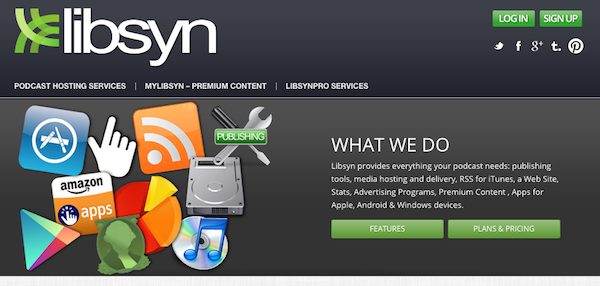
Libsyn screenshot

Libsyn is the hosting provider that I use for my podcast. So far, I’ve never run into issues with them as a provider and they’ve been around a long time. They also have a well established track record, having hosted several major shows.

Their pricing ranges from $5 – $75 per month. If you’re going to be posting a podcast once a week and average 30 minutes to 1 hour per show, I think the $15/month tier is fine. The upper tiers include advanced analytics and to provide your listeners with a white label mobile app for your show. However, there are extra fees attached.

On the negative side, their user interface really needs an update and they are due for a design update.

2) PodBean
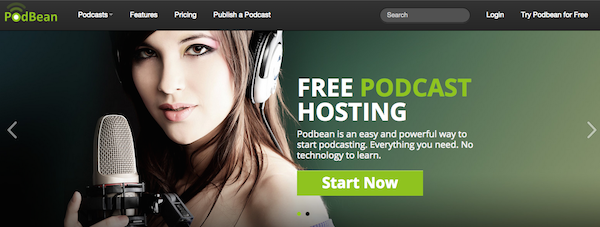
podbean screenshot

PodBean is another podcast hosting website that will house your MP3 files and distribute them via RSS to the iTunes store. Based on this Reddit thread, there are positives and negatives associated with PodBean, as I’m sure there are also with Libsyn.

Like Libsyn, PodBean has a variety of pricing options for beginner and advanced podcasters. In addition, there is a monthly storage/bandwidth cap that will reset each month. The pricing starts at $5 per month and goes up to $149 per month.

3) BuzzSprout
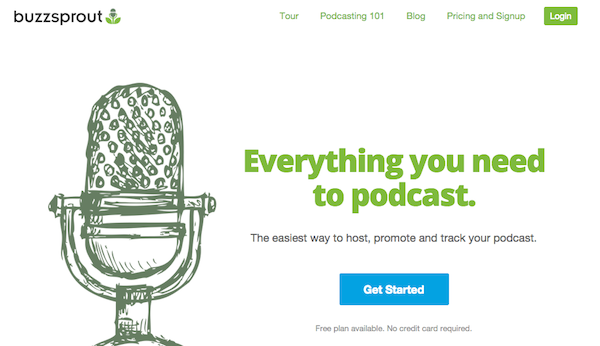
buzzsprout

When I was searching for a podcast host, I was referred to BuzzSprout from a friend in the same niche as me, who also has a podcast. They have a lot of helpful content for getting started, but also have a bit of a different pricing model than Libsyn or PodBean.

With BuzzSprout, you can host a podcast for free up until 2 hours of upload time per month. Keep in mind, that content will only be hosted for 90 days, and then you will either have to pay them for unlimited hosting with one of their upper tiers or transfer to another hosting provider.

Their paid tiers start at $12 per month and go upwards of $24 per month. I think that most other podcasters like me doing a weekly show would do the $12 or $18 per month option.

Keep in mind that BuzzSprout is newer to the game than other services, and has less add-ons and additional services. However, they have a pretty killer design.

On one Quora forum, a user says:

“The only 2 downsides so far is you can’t replace your files once they are up there (have to re-create the episode which kills your stats) and they don’t have an API for stats which means I can integrate them with my dashboard app.”

4) Blubrry
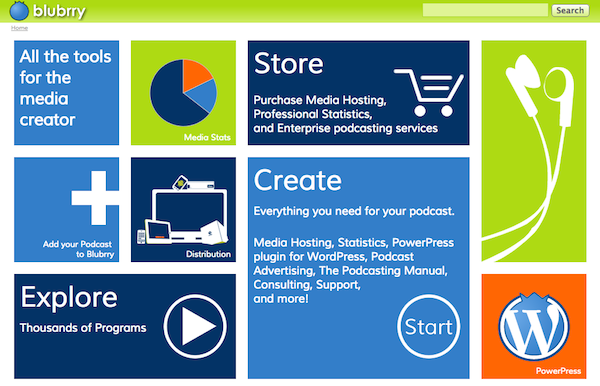
Blubrry

Blubrry is another option that you can use to host your podcast. Their pricing starts at $12 per month and goes upwards of $80 per month. Some of the premium tiers include the ability to host a video podcast and extra storage.

Having been started by a fellow podcaster, Bluebrry is another great Libsyn alternative with statistics and affordable pricing. They also have a consulting arm that starts at $100 per hour. Man, that’s some steep pricing, but if you need the help from a trained professional, it might be better than trying to seek someone out on Elance.

5) SoundCloud
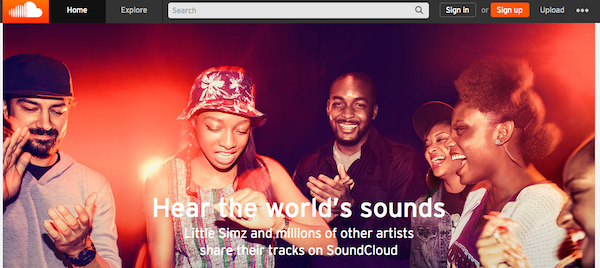
soundcloud

You might have listened to an independent musician on SoundCloud or some cool new song, but you can also host a podcast (or your music compositions) with the service! At the time of writing, the program is still in beta, but you can check it out here.

I’m excited to see when they will officially launch the program and am curious how their general comment system might change the way that listeners interact with podcasts through blog posts.

Which podcast hosting service is best?

Surprise! There is no “best” hosting provider. They all have their positives and negatives. Ultimately, it comes down to choosing the one that you like most and that provides the kind of functionality you are looking for.

However, if you are hosting an accompanying website for your podcast or social media scheduling services, I do think there are better providers than others. Let me know which one you choose for your podcast and be sure to link me to your podcast once it’s up so I can listen!
Read More
tips

5 Things I’ve Learned From My First 20 Podcasts

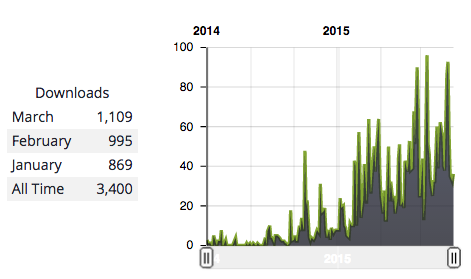
At the time I’m writing this, we have 7 days left in March of 2015, and so far Libsyn is reading 1,109 downloads for the month. This is my first month with 1,000+ downloads for my new podcast! You can read my experience reaching my first 1,000 total downloads here.

Libsyn Podcast Stats

I recognize that these numbers do not reflect monthly listeners, because one listener can download multiple podcasts, but it’s the main metric that I’m watching at this point.

I am also tracking a short link that I reference on the blog that accompanies the podcast to see how many people are being referred from my website (along with using google analytics, of course). Finally, I frequently mention my twitter handle to get feedback and see whether or not people are engaging with the shows.

Although I would by no means consider myself a successful podcaster at this point in time, there are a few things that I’ve learned along the way from recording these 20 episodes.

1) Delivery Matters – Be Peppy.

This might seem obvious, but it’s one of those things that is easier said than done. If you’re watching a movie, you will only recommend it to a friend if it’s engaging. If you’re taking a college lecture and the information is very important, but the professor drones on and on, then you’re unlikely to recommend that class to a friend.

After making several mistakes, I realized that I needed to be more animated, peppy, and overall appear more enthusiastic than I was in my podcasts. Don’t get me wrong – I love the subject material of my show and am very passionate about my work, but I’m used to showing that passion through writing or my facial expressions if I’m giving a talk. Learning how to modulate my voice to reflect my actual emotions has been a work in progress.

Granted, the ideal would be that if you’re excited, you should sound excited, and if you’re passionate, you should sound passionate, but it doesn’t always work that way. Sometimes, nerves or the need to think on your feet can get in the way. Anticipating this common occurrence has been a good way to let my genuine passion and enthusiasm translate to the listener.

I think this is a common mistake because I’ve listened to early episodes from top podcasters and they also aren’t as peppy as they are in later episodes.

2) Make Your Your Invited Guest(s) Comfortable

If you haven’t heard of Tim Ferriss, then this is a great podcast episode for anyone interested in becoming an awesome interviewer (especially part 2). It’s an interview with Alex Blumberg and how he encourages guests to share information that will be appealing to the listener.

I’ve been using some of the techniques mentioned in this episode to evoke more compelling emotions, stories, and bits of information from guests which translates into a better episode. Part of this process is making them feel comfortable with talking to you, the host!

Obviously, it depends on the reason that someone comes on your podcast or the type of podcast that you are producing, but I’ve done my best to make the whole experience as informal as possible. I don’t want to conduct a stilted interview that has static questions and pre-memorized answers. I want to have more of a discussion with the guest.

One way I’ve been able to move towards this kind of experience is to incorporate humor, particularly self-deprecating humor, into the conversations. For someone that just met you via Skype or in person, it’s a good way to get them to lower their initial barriers and to begin to develop rapport.

Your job is to make the guest open up about whatever the subject is that you’re talking about. By sharing your own stories, feelings, or experiences, you can encourage them to share their own as well. Ultimately, feeling that you are being listened to and understood makes the overall experience feel more welcoming and positive.

3) Be Patient and Work to Understand the Guest.

I’ve run into the feeling a few times like “I need to get to the questions now!” with some guests. Maybe we were veering off on some topic or not getting into the interview fast enough for my liking. I’ve realized that this is 100% my fault.

First of all, I think that sending your guest questions in advance and other podcasts that you’ve conducted will set them more at ease with the overall layout or format. They won’t be grasping to come up with things to say or to transition in some way if they know that you have a pre-planned conversation course.

At the same time, it’s also important to set them at ease if they are there to sell something. Communicate that you will be helping them make listeners aware of the product and will mention it yourself several times throughout the podcast, so that they don’t have to. They can just concentrate on their experience or whatever it is you’re asking them.

Whenever I have been speaking with a guest who spent a particular long time on some aspect of their history or their product, rather than getting antsy that I’m veering off the agenda I want to cover, I use it as an opportunity to understand them deeper. Clearly whatever topic they are talking about is a big motivator in what they are doing now, and therefore it is an important part of their story.

4) Paint a Picture in Your Viewer’s Mind

Unlike Youtube or television, listeners have only one way to interact with your content. They can’t tell what you’re thinking, what you’re looking at, or how you’re feeling when they hear your podcast. Therefore, you need to make them feel or see these things through stories and tangible descriptions.

I’ve made the mistake where I’m halfway through a section of a podcast and I realize that the listener probably doesn’t fully understand or realize what I’m talking about because I’ve failed to describe some product or website in-depth.

Even though I’m forming a mental picture about how, say, “you can automate your social media with Buffer”, it’s likely that the listener doesn’t know what that software program is. Therefore, just saying “a free social media scheduling service like Buffer” will give more context. I would then go into a little bit more depth of how the particular website works.

5) Automate The Entire Process

This depends on how responsible of a person you are. If you’re like me, who has 1,000 different things going on in their life, it’s probably best to set yourself up on some kind of podcasting schedule.

For example, in the past several month’s I released podcasts on Fridays. I’m now experimenting with a higher frequency, but this initial schedule has taken a lot of the headache away from the process and lead to consistent growth.

In addition, I made a rule that I would have at least one week’s worth of podcasts set up in advance. That way, I wouldn’t be rushing to find guests or edit the mp3 files. I liked this rule so much, I pre-recorded the podcasts for one month entirely in advance.

What have you learned?

I’d love to hear what you’ve learned from podcasting thus far and how long you’ve been doing it! Let me know in a comment below and I’ll get back to you ASAP :).


Read More
tips

How to Monetize Your Podcast

There are a few different ways that you can monetize your podcast. Some of these are more invasive than others, and depending on your niche or the topic/format of your podcast, one might be more effective than others. Check out some of the ways to make money from your Podcast below.

1. Sponsorships/Voice Ads

microphoneWe have a sponsor on my podcast that is relevant to the audience. You might have heard other big-name podcasts sponsored by companies like Audible.com and 99Designs. Sponsorships are one way to monetize your podcast, though if you’re going after one of the biggies, you need to have large download numbers.

This article put together by the Entrepreneur on Fire podcast shares some realistic RPM (revenue you will make per 1,000 downloads) rates. I’ve also brainstormed a few ways that you can secure podcast sponsors for your podcast.

2. Affiliate Marketing

There are a lot of online marketing blogs/podcasts like the SmartPassiveIncome website that are killing it with affiliate marketing. Using the pretty link plugin to customize a shortlink, podcast owners can easily track and refer visitors to an affiliate partner and receive commissions if anyone decides to buy on their site.

It might depend on the terms of service of the particular affiliate network whether or not they allow traffic to be re-directed or whether you must use one of the network’s links and remember to plug the url during your podcast. Either way, you could also direct visitors to a particular page on your podcast’s website that contains affiliate links.

This may not be the best approach for a discussion-based podcast about politics or comedy, but it could be a great technique if you are teaching a subject to your listeners and they are eager to try out a product or service you’ve mentioned.

3. Inbound Marketing

A good example of inbound marketing is the Rainmaker FM podcast network, which is providing a tremendous amount of value to its listeners. In exchange for providing value, they have the opportunity to push or make the public more aware about their own product or service, which could be beneficial.

The key to this monetization approach is to deliver relevant value, build a relationship over time, and get readers onto your webpage or to interact outside of the passive listening medium. It’s also important to deliver high quality information, otherwise rather than looking like an expert in your field, you’ll look like an amateur.

If you’re unfamiliar with inbound marketing both through podcasting and blogging/social media, I’d check out Gary Vaynerchuk’s book, Jab, Jab, Jab, Right Hook: How to Tell Your Story in a Noisy Social World. I also learned a lot from Seth Godin’s book, Permission Marketing: Turning Strangers into Friends and Friends into Customers.

4. Paid Podcast App

Finally, you could create a paid app that users must download if they’d like to listen to your podcast. This could be to accompany some kind of online course, part of a membership website, or standalone app in of itself.

Keep in mind that you will be competing with many free podcasts in the iTunes store, so figuring out why your listeners care about you and your material is vital. Paid content is becoming commonplace in the online world and it’s only a matter of time before this begins to permeate the audio world as well.

5. Crowdfunding

You can also use a crowdfunding platform like Patreon or JoyRide as a way for your audience to help support the show and be rewarded for it. This could be an interesting way to both engage your listeners and thank them for being a valued member of your podcast’s community.

If you’d like to learn how to use Patreon and, more importantly, how to be successful on the platform, then I’d recommend checking out this in-depth article.

How are you monetizing?

How are you monetizing your podcast? I’d love to hear in a comment down below. Have I left out any other monetization techniques?

Ultimately, I think that monetizing should be the second worry of any podcaster. The first and primary worry should be delivering value and making sure that people are coming back for more over an extended duration. If you’re not bringing something into the world that people want to listen to or recommend to their friends, then it’s going to be a lot harder to make money off that endeavor. What do you think?

Read More
tips

How to set up a podcast in iTunes

Whether you want to start a discussion-based podcast, interview people in your industry, or share what you’ve learned about a particular topic, it’s a must to have your podcast in iTunes!

These steps will help you get started getting your podcast into the iTunes store. Let me know if you have any questions.

1. Create a name, thumbnail image, and website.

The name that you choose for the podcast should be available as a domain name so that you don’t run into any issues when you begin to actually build out your website with episodes or other forms of content. Be sure to check that first!

After you’ve chosen your name, I recommend setting up either a wordpress website using Bluehost’s one-click-wordpress install or set up a website using SquareSpace. Ultimately, I think you’ll find that is pays big dividends to set up your own website now, than having to do that later.

Although you can set up a podcast using SquareSpace rather than using your own website in addition to a specific podcast hosting provider, I’ve gotten some few negative vibes about it from other people in the industry. Don’t get me wrong, their website creation tool is fantastic, but I think there still needs to be more work done on their podcasting functionality.

Finally, it’s important to create a compelling thumbnail image. You could hire a contractor on 99designs to do this or use Fiverr if you are on the cheaper side. I personally used the Pixlr graphic design tool to create my own. Don’t forget that the image must be 1400 x 1400 pixels and a maximum size of 2048 x 2048 pixels.

2. Choose a company to host your podcast.

Although you can technically host your own podcast on your web sever, it’s best to use a third-party tool for simplicity’s sake, to minimize downtime, and to make sure that your episodes can be accessed on a consistent basis, no matter the bandwidth.

I use Libsyn to host my podcast, though you can also use SoundCloud, BuzzSproutPodbean, or Blubrry. My main qualm when setting up my show was dependability and Libsyn has been around for a while and cultivated an image as a stable provider. However, BuzzSprout seems to have a much better ease of use and user interface and SoundCloud itself has more of a social community containing other podcasters and musicians. It will be interesting to see how these services play out in the long run!

Of course, it depends on the frequency in which you will launch your podcast episodes and the length of those episodes, but I’ve found podcast hosting to be relatively cheap and on par with hosting a high-quality website.

3. Submit Your Podcast to iTunes

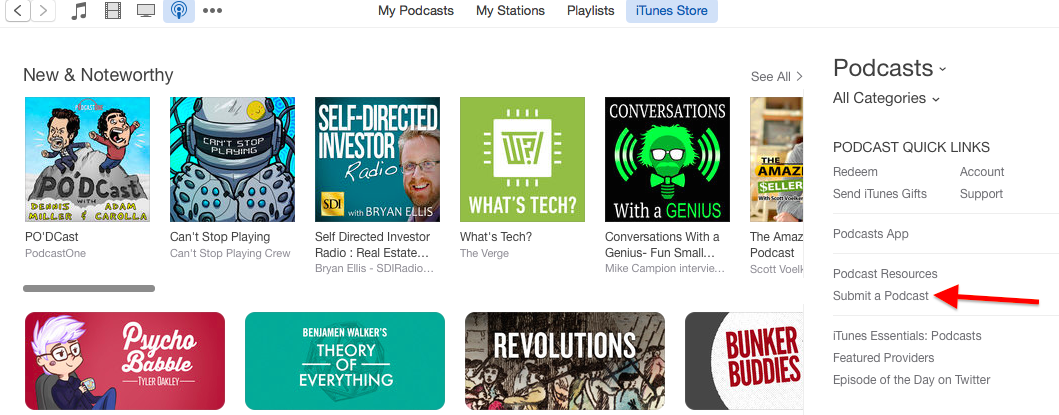
After you’ve chosen the company in which you’d like to host your podcast and uploaded an episode, you submit the RSS of your podcast to iTunes. First, click on the “submit podcast” button in the podcasts category of the iTunes store, as shown below.

itunes screenshot

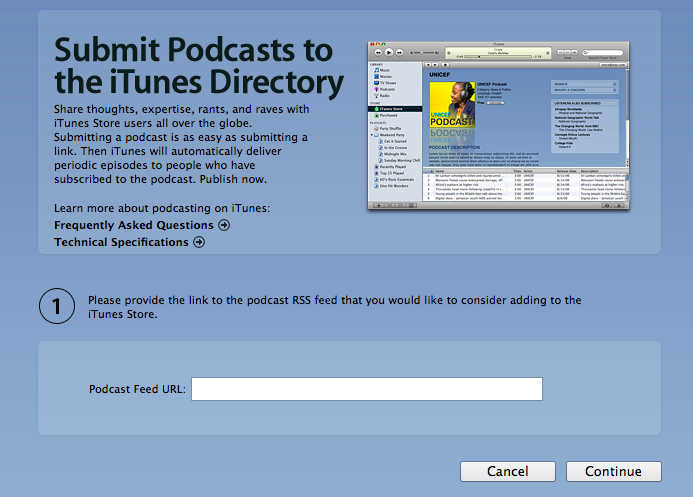
Next, you must enter the Podcast’s feed URL and proceed. After you’ve completed the process, your podcast will appear in the iTunes store for download once it’s approved!

itunes screenshot submit podcast

Conclusion

If you have trouble finding the RSS feed URL for your podcast and you’ve gone with one of the podcast hosting providers that I mentioned, then browse the website’s help/faq section or contact them directly.

Once your podcast is accepted into iTunes, finding it is another matter entirely! In a future article, I will talk a little bit about the SEO of the iTunes store and how to maximize the chance the people stumble upon your podcast or are able to find it after putting in certain key words.

Read More
tips

7 Places to Promote Your Podcast

If you’re like me and have only recently joined the podcasting medium, then the best way to learn what the best techniques, tools of the trade, and people to follow are is to join a few different online groups or communities! I wouldn’t spam the communities with your podcast link, but creating genuine connections is one way to build your audience.

Below, I’ve put together a few different places that you can go to learn more about podcasting from podcasters. Let me know if I let any out and which one is your favorite!

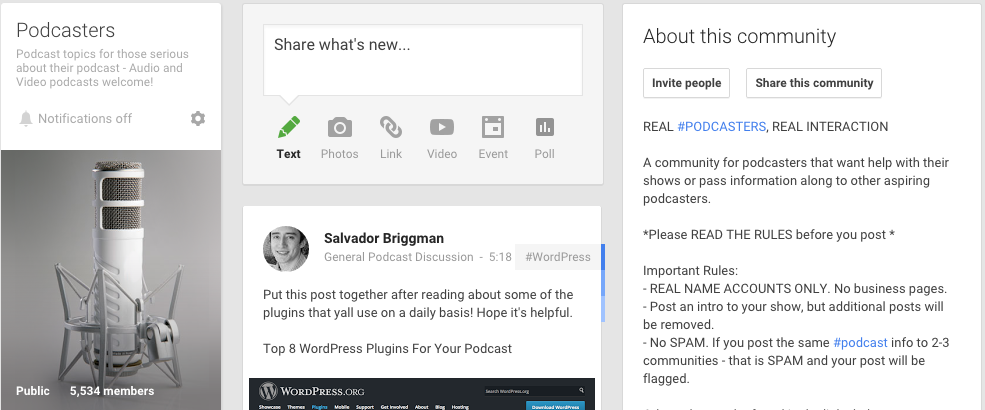
1. Podcasters

Podcasters group screenshot

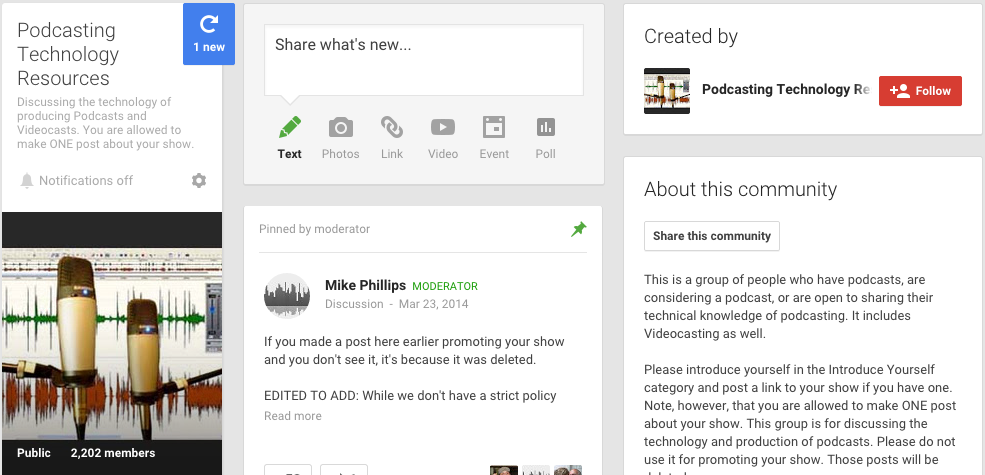
2. Podcasting Technology Resources

Podcasting tech resources group gplus

3. Podcasting Technology Resources on LinkedIn

podcasting tech resources linkedin

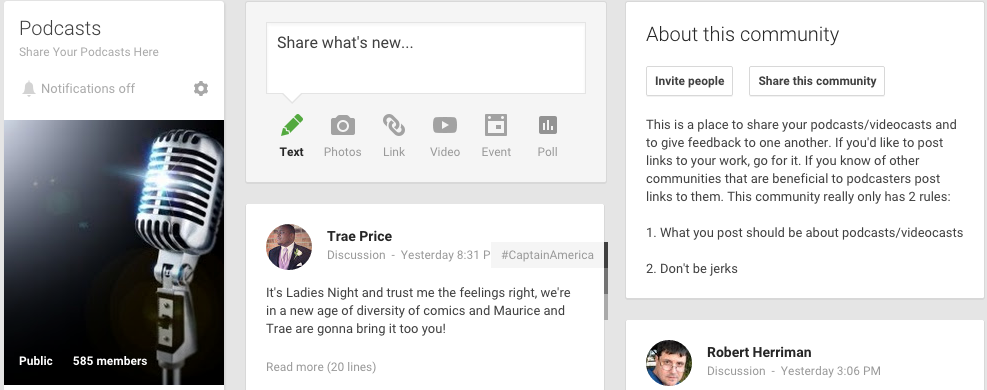
4. Podcasts

podcasts gplus group

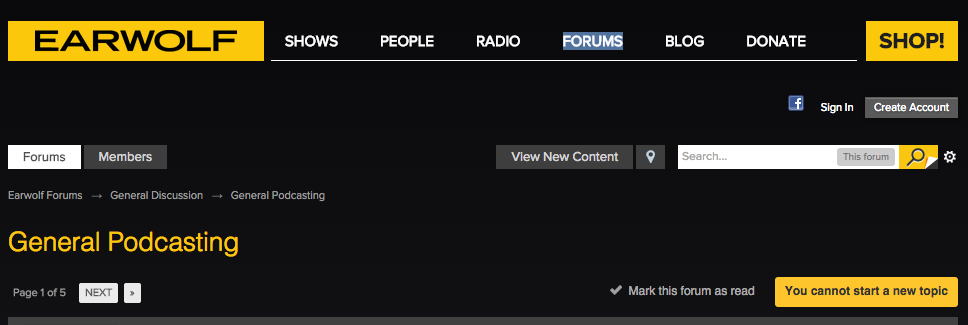
5. Earwolf SubForum

earwolf forum podcasting

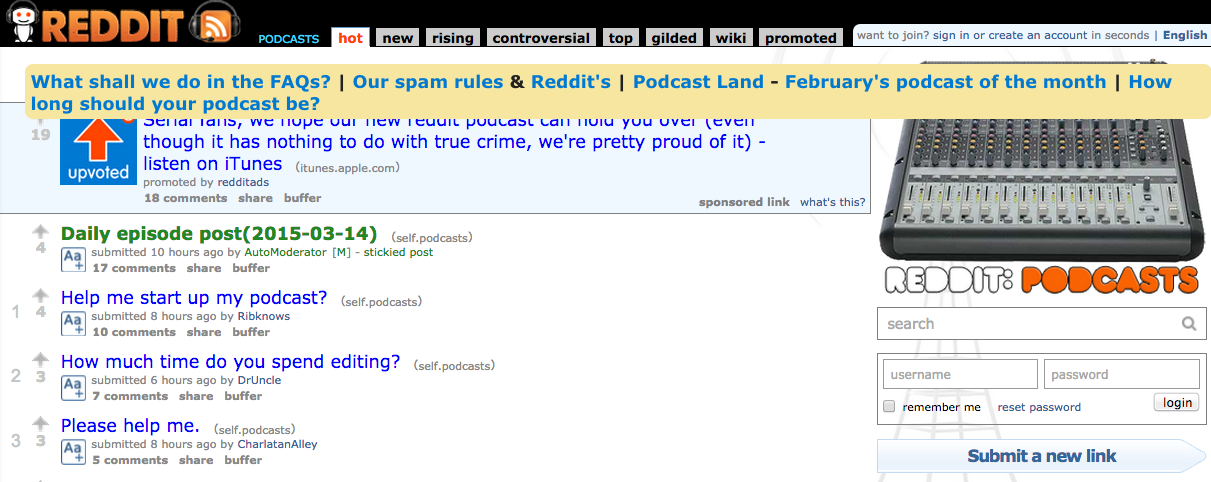
6. Podcasting Subreddit

podcasting reddit subreddit

7. Podcasting Community Public FB Group.

podcasting community facebook

Conclusion

Which group or community did I leave out? Let me know in a comment!

Read More
tips

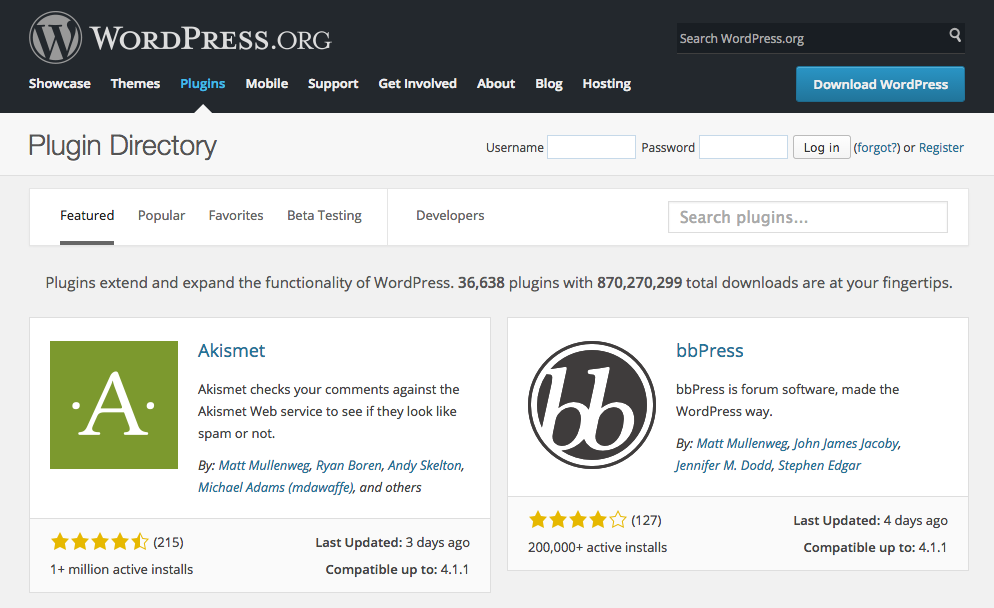
Top 8 WordPress Plugins For Your Podcast

This post was inspired by a great group discussion we had in the Podcasters google+ community and Jeffrey Powers, who helps podcasters record podcasts.

Keep in mind that in order to install any of these plugins, you need to have a hosted WordPress.org website. I recommend going with BlueHost, because they have a one-click-wordpress install (what this website uses) and it’s pretty easy to get started.

1. Pretty Link Lite

pretty link lite screenshot

I’ve begun using Pretty Link Lite religiously. It’s a great way to quickly create short links on your own domain which are easy to reference in an audio interview or in a blog post. In addition, the plugin tracks the number of clicks. For example, if you want to check out my podcast on crowdfunding in the iTunes store specifically, just go to CrowdCrux.com/iTunes.

There is also a paid version, Pretty Link Pro, which allows you to “create pretty links automatically, cloak links, auto-tweet links, replace keywords thoughout your blog with pretty links and much more.”

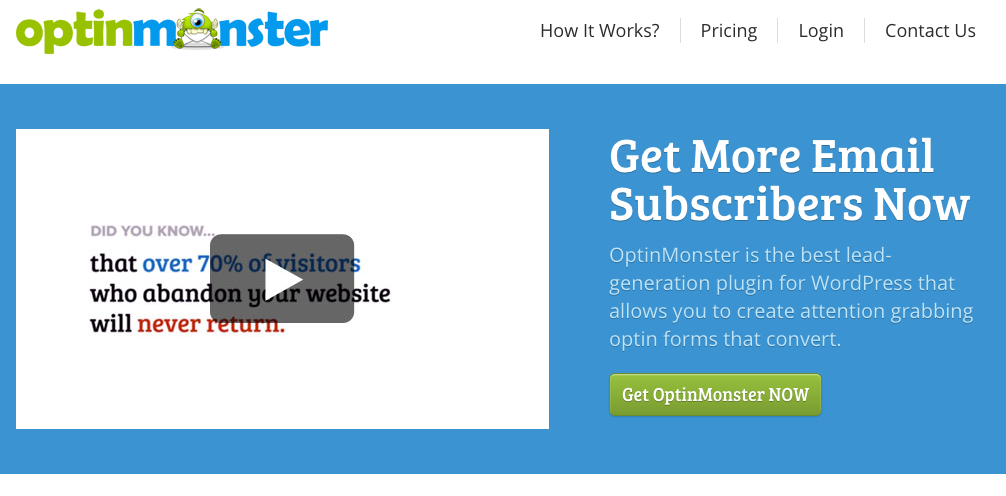
2. Optin Monster

optin monster screenshot

Optin Monster is the pop-up subscriber window that this website uses. If you’re doing a podcast in the tips/advice category, or want to offer your website visitors a way to stay in touch with new announcements, this plugin is a good way to do that. They also have a lot of customizable themes.

Keep in mind that this plugin is paid. You can also use a free popup subscriber plugin like Popup Ally or Optin Revolution Lite.

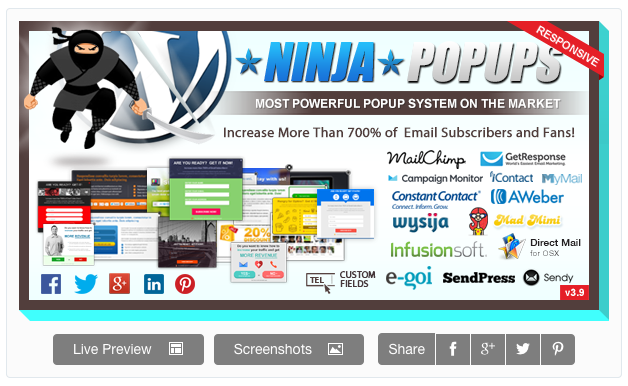
5. Ninja Popups

ninja popups

Another user suggested Ninja Popups. The plugin has a very good sales/review rating and comes in at an affordable price.

“Ninja Popups combines a professionally designed popups to convert visitors on your site/blog into taking an action.”

3. Contact Form 7

contact form 7 screenshot

Contact Form 7 is an easy way to give your listeners the option contact you via email, without giving out your email. “The form supports Ajax-powered submitting, CAPTCHA, Akismet spam filtering and so on.”

Personally, I just provide my actual email to people who want to reach out for the blog related to my podcast. I don’t really get much spam, thanks to gmail. However, for other sites I run, I do use contact forms.

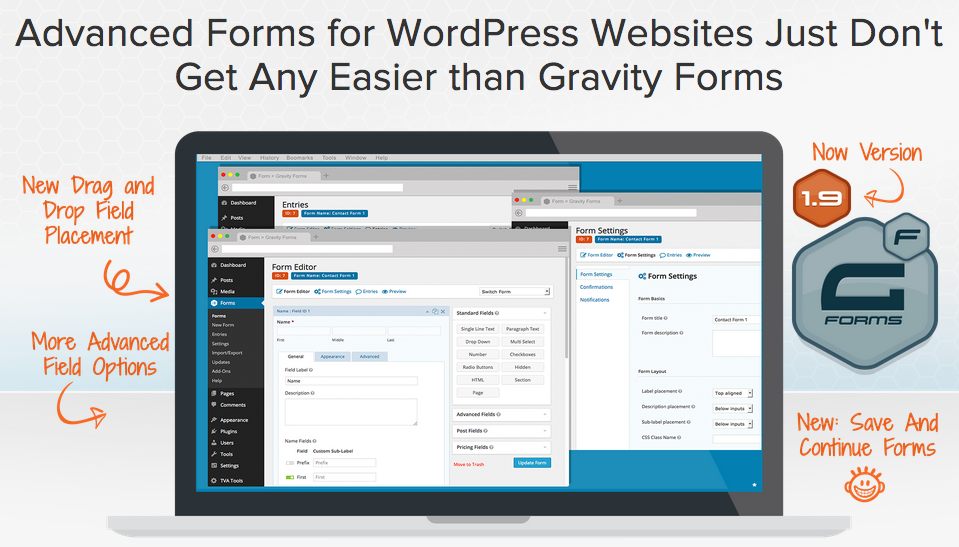
4. Gravity Forms

gravityforms screenshot

Gravity Forms are another option for creating and implementing a contact form on the website for your podcast. I’ve never personally used this type of form builder, but I’ve heard great things.

“Gravity Forms allows you to quickly and easily integrate with a variety of third party services such as PayPal and provides for even deeper integration with WordPress through our collection of optional Add-Ons.”

5. WP Touch

wp touch

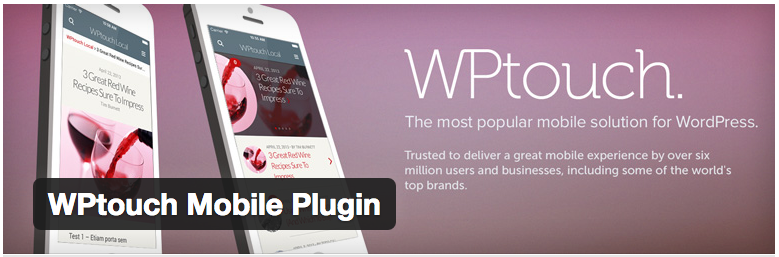
I’m horrible at design. I understand the technicalities of installing a new WordPress website, but I’m not the guy to make it look pretty. When I heard about WP Touch, I thought it was too good to be true! It’s a free plugin that you can use to create a mobil-optimized website, which is mattering more and more to search engines like google.

Since a lot more people are listening to podcasts from their smartphone, it’s only natural that a they will be viewing your website on their mobile device. Rather than investing a fortune in creating a responsive theme, WP touch does it for you!

6. OptinSkin

optinskin screenshot

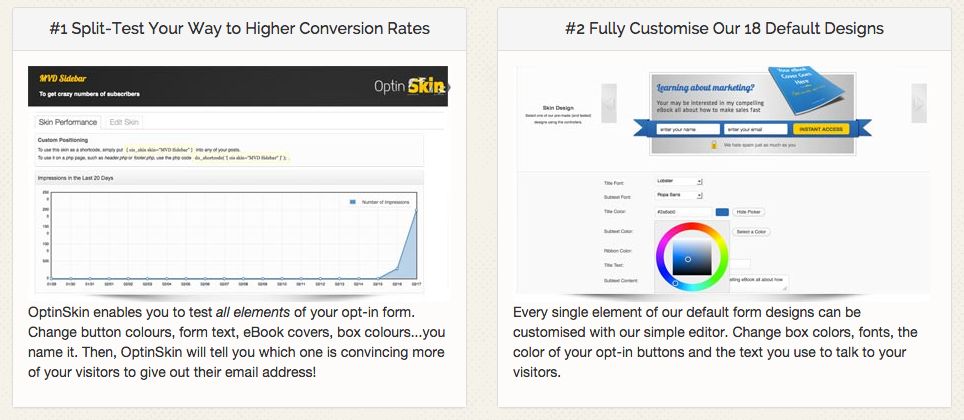
I use OptinSkin on this website as an alternate way for visitors to enter their email address. Email list building tools like Aweber and MailChimp come with a few different opt-in themes (or CSS that you can customize) to capture emails on your website/blog. However, not all of them are pretty or contain statistics.

OptinSkin gives me stats in terms of the number of people that are opting into my email newsletter and it gives me an easy way to customize those forms. It’s kind of expensive, but I care a lot about maintaining an ongoing relationship with listeners/readers on this website and others.

7. WordPress SEO by Yoast

wordpress seo yoast

I love this free plugin! It’s easy to customize a SEO title and meta description for both posts and pages. In addition, it will give you a score on how well your targeted “key word” appears in the text of the particular post/podcast notes or transcript.

The one advice I’d give is don’t go overboard with SEO. Keyword stuffing or including too many meta tags is a no no. Don’t over optimize for a particular phrase. Just write notes and record podcasts for other humans!

8. Smart Podcast Player

smart podcast player screenshot

I haven’t personally tried out this plugin, but I’ve seen other people gush over it. Basically, it lets visitors on your website see and listen to a bunch of podcasts one after the other, rather than having to click through to new articles that contain an embedded podcast player.

It’s kind of expensive. I can’t see myself investing in it yet, but it could be a useful tool for other power podcasters who want to ramp up the user experience on their website and are tired of the standard player provided Libsyn or other podcast hosters.

Conclusion

Should you install each of these? No! In general, the less wordpress plugins that your site requires, the better. Not just for speed, but also just for the general architecture of the website.

Let me know what functionality you’d like to add to your website so I can better help link you to the correct plugin!

Read More
tips

6 Ways To Find Sponsors For Your Podcast

I recently found a sponsor for my podcast, who has agreed to sponsor the show for the entire year at the price we decided on. I’ve decided to accept their sponsorship for at least 6 months and then re-evaluate. Who knows how much my audience will grow or decrease by then?

Before I get into some ways to find a sponsor for your podcast, I want to say that having multiple “platforms” has greatly helped me find a sponsor. If I didn’t have the blog that accompanies my podcast, then it would have been more difficult to find someone to support my podcast out of the many options that they could choose from. This is why you should start building your blog, email list, and social media following as soon as possible!

1. Connect with businesses that already listen to podcasts.

microphone-338481_1280 (1)Selling advertisers on this new “podcasting” medium is difficult enough. If you can connect with businesses that already listen to and understand the value of podcasts, then it will be easier to convince them to support yours.

It’s also easier if you connect with businesses that listen to podcasts in your particular industry. This way, they will be able to qualitatively tell whether or not your episodes are better than your competitors. In addition, their more likely to intimately understand the purchasing power and needs of the audience you are serving.

2. Focus on individuals, not corporate brands.

When you’re going about trying to garner up sponsorship interest, it’s easy to target companies as a whole. However, don’t forget that it’s the people in these companies who actually make things happen, whether that’s influencing the direction of the businesses or deciding on how that company allocates its marketing budget.

Rather than trying to convince everyone in a particular organization that your podcast has merit and is worthy of investment, just focus on the few people needed to actually push the proposal forward. You’re never going to get everyone on your side, and it’s also unlikely that everyone in the business listens to podcasts!

Developing relationships with individual people is going to go a long way to establishing trust, credibility, and ultimately a long-term business relationship. In addition, it’s easier to access these people through direct email pitching and connecting via LinkedIn.

3. Find brands that are already spending money through other channels.

Even though you might like to offer everyone the opportunity to sponsor your podcast, it’s unlikely that people will do so if they don’t have some kind of marketing budget. Those established companies that do have marketing budgets must decide how to allocate those funds, whether it’s through display ads, Facebook ads, YouTube ads, adwords, or other means. Ultimately, it’s your job to convince them why it makes more sense to invest a portion of those funds in your podcast, rather than some other avenue.

If a brand is already spending money through one of these channels, it’s a good indication that they are 1) Willing to spend money on marketing/advertising 2) Have some kind of a monthly budget to do so.

This information will help you create an outreach list and to begin to tailor your pitch for each businesses as to why your podcast audience is a good fit for them. Don’t forget that it’s most important to first understand what they want to get out of a sponsorship and why they’ve chosen the avenues they have up until this point.

4. Offer a multiple platform promotion strategy.

Let’s be honest, the podcast might be your baby, but it’s not the baby of a sponsor or advertiser. They want to be seen on multiple channels, whether that’s online, through social media, or on youtube. One way that you can help eliminate the risk of putting some of their eggs in your basket is to structure a multi-platform deal, where you will also promote their brand through your email list, blog, social media accounts, and more.

If you do decide to go this route, I highly recommend automating some of those weekly sponsorship mentions. You can use a tool like Aweber to schedule email blasts, Hootsuite to preschedule social media, and the WordPress publishing functionality to automate posts.

Giving the option for marketing/promotion on different platforms also allows you to increase your overall audience numbers, which will be more attractive to an established business trying to get the word out about their products or services.

5. Invite people to share links with your audience.

What sponsor doesn’t want a free mention in your podcast? But here’s the catch. By giving potential advertisers the option to have a free mention in your podcast as a “helpful resource,” you are also gaining their contact information in the process which you can use to sell them on a sponsorship down the road!

I make my email address public on my blog, but you could also design a contact form where interested parties could shoot you a message. This simple option of giving people a way to contact you will dramatically increase your leads. Someone who has a link shared for free on your podcast and experiences some traffic might be willing to invest in a sponsorship later. I think the key part is making sure that the link or mention makes sense for your audience and that it will ultimately be beneficial.

6. Begin collecting statistics to show engagement.

At the end of the day, advertisers and sponsors care about engagement. They care about the amount of your audience that will click on your links, listen to your episodes, and come away with a positive feeling about the experience.

The statistics you might see on podcasting hosts like Libsyn or Soundcloud will give you some indication of your audience’s engagement, but you can also use a plugin like pretty links, a tool like Bitly, or one of the above mentioned social media or email scheduling softwares to track how many people in your audience is actually engaging with your content.

Further Reading

To learn more about getting a sponsor for your podcast, I’d recommend checking out this article or this guide on blog and podcast sponsorship.

Read More
tips

Podcasting vs. Blogging

Should you start a blog, or start a podcast? Should you podcast, and not blog? Should you do both?

I do think that podcasting and blogging go hand-and-hand, both for the SEO benefits and because some readers prefer to receive information in an auditory medium, and others in a visual medium.

However, there are some differences between blogging and podcasting that I’d like to highlight in this post. If you’d like to skip to any at any time, you can use the mini-header titles as guides for the various sections

Many blog readers “skip” or “read ahead.”

Unlike podcast consumers, which may sit through a thirty minute or hour long podcast, many blog readers prefer to skip around the content by skimming the blog post for major points or relevant links.

As a blogger, you should take this to heart and use this type of reading habit to guide the structure of your blog post. Rather than having one long essay, where you explain from start to finish why you made a certain decision or the benefits of a particular software tool, it would be better to break that long paragraph into sub-sections that have distinct headlines.

This is how this blog post is structure and it ensures that the content is easily-consumable. In contrast to blogging, I’ve noticed that podcast listeners may be hanging on your every word or be engaged in some activity while they are listening, like cleaning the dishes or commuting to work.

Naturally, you should take advantage of this more involved listening pattern by taking a chance to develop a relationship with your listener, in addition to broadcasting to him or her.

Podcasting is not good for SEO.

If you were hoping on getting more readers from people typing in key search terms like “x best website for” or “difference between x vs x,” then podcasting is not the medium for you. Most people, in my experience, learn about podcasts from searching the iTunes store, looking at related podcasts, and from their favorite frequented website of choice.

Podcasting as an SEO strategy is not recommended because search engines have not yet learned how to understand audio and incorporate that audio into the searchability of a piece of media. You could improve the SEO of a podcast by for the podcast episode or a blog post which introduces the main concepts the podcast will talk about.

You could also boost the SEO of the podcast by distinctly naming the podcast, which might get a lot of inbound links to the particular URL you chose. You could then start blogging about the topics for which your website is considered an authority and benefit from some of those high quality back-links.

Blogging has links vs. Podcast’s audio mentions

As you may already now, it’s difficult to get passive podcast listeners into the active state needed for them to take action on one of your main points and go to your website or type a particular URL in their search bar to learn more about a particular website.

Seeing as it is difficult to secure a podcast audio sponsor initially, you must get the listener on your website for them to join your email list, have the chance to browse your products, or be introduced to your website’s advertising.

So far, the way I have been doing this is by using the “show notes” as an incentive for the podcast listener to go to my website to check out the notes and transcripts for each episode. I’ve shown how I’ve formatted them below:

podcast screenshot podcast image2

Rather than trying to get your podcast listener to go to a bunch of clickable links, I think it’s best to send them to one location, the show notes for your episode, where they can check out any links mentioned in your episode and also discover other articles or products in your library.

Podcasting Has More Intimacy Than Blogging

Unlike a blog, which a reader may skim or look over briefly, a podcast must have time set aside for it to be listened to. During a podcast, a listener will interact with your voice, your intonation, and the sincerity behind your words.

For this reason, I believe that podcasting is more intimate than blogging and therefore is a better method to develop a rapport with new potential customers for your informational or physical products. When taking this into account, it’s important to give your potential customers a way for them to get to know you, as they would through the “bio” section of a blog.

Including a short snippet which explains why you are doing the podcast or a fun fact about you that the viewer can learn about is a good way to humanize the podcast a bit and make it less about the information being presented and more about who is doing the presenting.

Obviously, including too much personal information is another podcasting mistake that will harm the overall podcast, but including a little bit, especially enough to be interesting, will enhance the podcast experience for the listener.

Over time, the intimacy that you develop with your listener will help with recommendations for other podcast episodes, podcast shows, or informational products.

Blogs are easier to crank out, but harder to resonate with.

As someone who has been blogging for two years, I can tell you that if I know the subject about which I’m writing, then I can crank out a professional blog post pretty quickly.

On average, it’s taking me about three times the amount of time to produce one podcast episode, edit it, apply ID3 tags, schedule it to go out, and add the additional blog post context.

For this reason, I’m scheduling the podcasts to go out only once per week, but as I increase in efficiency with my system, I could see myself doing more podcasts per week. At the same time, I think that the podcasts have more of a lasting impact on my listeners than my readers. Listeners seem to remember a particular episode better than a particular article, as those can blend together over time.

Ultimately, I think that blogs are easier to crank out in terms of numbers and frequency, but the podcasts give me a certain depth with my audience that I am unable to achieve from blogging alone.

Do you have a blog and a podcast?

I’d love to hear from you! What made you to decide to have a blog or podcast along with the other? Have you considered creating a video vlog or series instead of an audio podcast?

Read More
tips

7 Ideas to Promote Your Podcast

Marketing and promotion has been a huge part of growing my podcast up until and past the initial 1,000 downloads. As much as I’d like to believe that people will just happen to land on my podcast, love it, and it will go skyrocketing in the iTunes charts, I know that’s not very likely to happen.

Therefore, I’ve devised a set of ways to promote my podcast, which can also be used by others! Check them out below.

1. Social Media Scheduling & Automation.

There are a slew of social media platforms and bookmarking websites out there including:

Twitter: A great platform to broadcast messages to a large audience and reach out to journalists and network with companies or individuals in your niche.

Facebook: Facebook can be a powerful tool to both stay in touch with your network and your followers. I personally do not like Facebook business pages because of the ranking algorithm which determines whether or not your post is seen by the number of people who have “liked” your page (unless you pay). In other words, engagement is getting more difficult, especially as our newsfeeds are becoming more cluttered. I usually ask people to follow my personal Facebook profile.

LinkedIn: I’ve found LinkedIn to be an awesome promotional tool, particularly if you are blogging or podcasting about a serious topic that has business appeal. Many of my connections will keep up with my updates and LinkedIn groups are a great way to interact with your target audience.

Google+: While in some ways, Google+ can seem like a ghost town, it’s still an important network that can send your podcast traffic and increase your search engine rankings. I liked Google+ communities, where you can discover others interested in your hobbies.

Pinterest: Primarily used by women, Pinterest is a unique platform that can drive massive referral traffic to a website that is image-centric and centered on the DIY/crafts niche. If your podcast is in this industry, I’d recommend checking out some relevant boards. Even though my other blog is not in this niche, I still use pinterest to promote podcasts and posts on relevant boards.

Instagram: Unless you’re part of a younger generation, it’s likely you may be less familiar with Instagram than you are with Facebook. Instagram is a way to share your brand’s story through images, quotes, and beautiful moments in your life.

SnapChat: Increasingly, I’ve seen snapchat being used by brands to promote messages, upcoming events, and develop rapport with their target audience. Although it may be a little pre-mature, I think it’s worth thinking about how you could integrate snapchat into a marketing strategy (people can follow you).

social media iconsAll these social networks might seem like a headache to manage! That’s why I have used social media scheduling or automation tools in the past like Hootsuite.

In fact, I have all my social media posts scheduled a month in advance! However, I keep my interactions, whether that’s replying to tweets or retweeting, un-automated.

2. Email and Newsletters.

Despite the rise of social media, email is still the primary way that we receive and respond to information. My newsletter of nearly 6,000 people (my other blog) receives better click through rates and opens than any other marketing medium I use.

When random visitors come to your website who have discovered you on iTunes, social media, or through search engines, the only way that you will be able to form a long-lasting relationship with them is if you can contact them in some way.

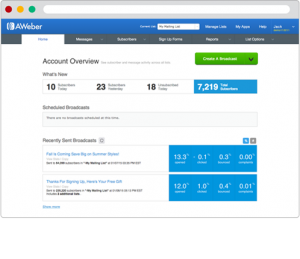
aweberUsing an email list management tool like Aweber is a great way to begin building your email list in an organized way. These are people that you can notify about an upcoming podcast episode, or new products that you’re coming out with!

I also use the analytics from email marketing campaigns to see which links people are interested in and what articles or podcasts they are clicking on. This helps inform the content choices I’ll make in the future.

4. Get your own website and domain.

It’s 100% essential that you get your own website to accompany your podcast. I personally recommend:

1. Registering a domain first. You don’t want to pick a podcast that doesn’t have an available domain or that has a domain that is already in use by another company!

2. Getting a website host. I recommend Bluehost. They host all my websites.

3. Setting up the site with WordPress or Weebly. Weebly and wordpress are easy add-ons with Bluehost. WordPress will give you all the functionality to create a blog and website. There are a lot of free and premium templates out there. Weebly is drag-and-drop website software.

You can also use an all-in-one solution like SquareSpace, Wix, or Webs. This might be an easy temporary solution, but longterm I think it pays huge dividends to know how to set up your own wordpress website. There are a large number of plugins to extend the functionality of your website and you have complete control over the design.

Ultimately, you will be using your website to promote your podcast and also be using it to maintain a relationship with your podcast listeners.

5. Blogging or Content Marketing

I think that blogging is the ultimate companion to podcasting! Some people love learning through reading. Others prefer audio. Having a blog gives them two choices!

In addition, it’s no secret that blogging is the holy grail of gaining search engine traffic and building an audience. I recently detailed my experience building up my websites to over 1 million page views. I can tell you that if I didn’t have some kind of blog or other way to communicate to the world in text form, this wouldn’t have been possible.

Free content, whether that’s in the form of a well-written blog article or ebook is also a great incentive for your readers to connect with you in other ways outside of your podcast. If or the show notes for a particular episode are on your website, then it’s likely they are going to take a second to check it out if they thought the episode was helpful.

Blog articles are also another form of content that you can schedule and promote on social media using Hootsuite, which will drive more people to your website (if the articles are helpful) and lead to more people checking out your podcast.

Lastly, if you have trouble coming up with blog article ideas, you can always re-purpose your audio content in the form of blog posts or re-purpose your blog posts in the form of a new podcast episode!

6. Go on Another Podcaster’s Show

I was just a guest on the QNY Tech Podast (twitter). Being a guest on other podcasts exposes your ventures to a larger audience and also is another opportunity to improve your speaking abilities.

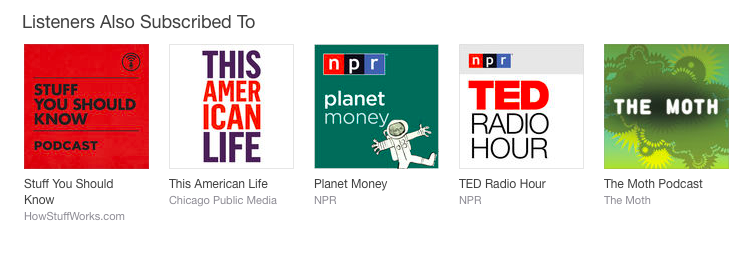
One of the great things about iTunes is that they also have a “Listeners also subscribed to” section, as I’ve shown below.

listeners also subscribed to itunes

This means that cross-promotion between yourself and other podcasters can be beneficial to each of you.

7. Have Influencers on Your Podcast

Finally, having individuals on your podcast who are experts or have a large social network are another way to grow your podcast. Each time you have a guest on your podcast, it will double the social reach of that episode (assuming they help promote it).

If you’re struggling to get some guests on your show, check out my other article with a few techniques that I’ve found to be helpful.

How have you been promoting your podcast?

Let me know in a comment below!

Read More
tips

Should your podcast have a transcript?

I’ve been debating on this since starting my podcast. Recently, I’ve started including a transcript on the blog posts where I announce my new podcast episodes.

Before making this decision, I googled around for an answer from a fellow podcaster, but it seemed like most of the articles were written by transcription service companies. Biased much?

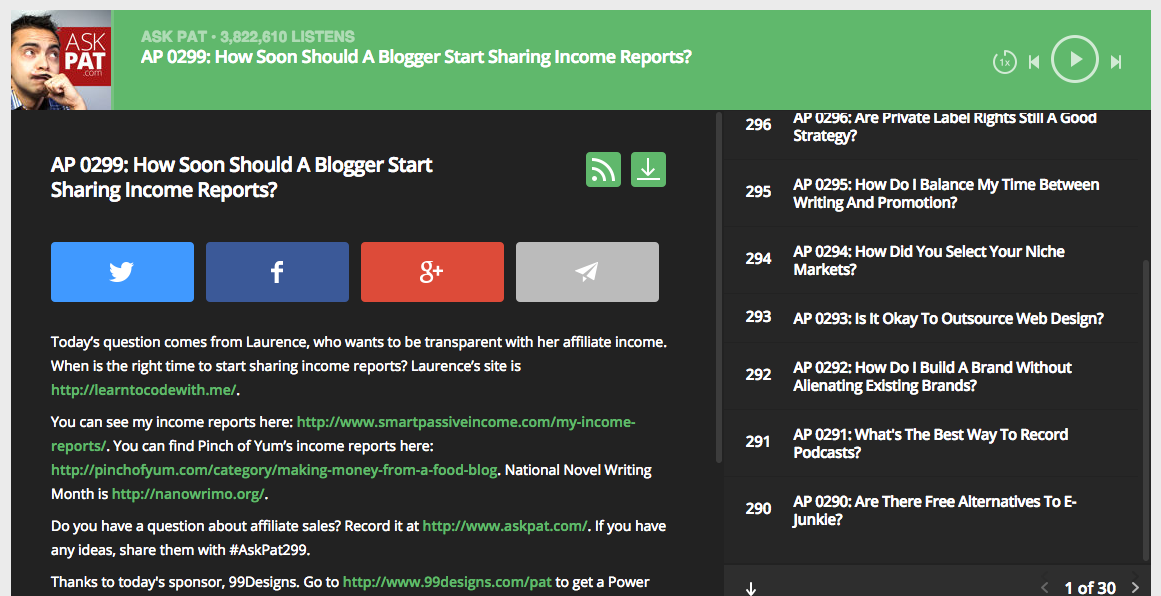
I finally found a decent answer on episode 136 of the AskPat series for SmartPassiveIncome, entitled “Should I Have My Podcasts Transcribed To Create Content On My Site?” He also outlined some of his thoughts on the topic in .

He indicates that having a transcribed version of your podcast on your website can help boost SEO, but yet he doesn’t seem to include those on his podcast posts? He just offers a downloadable PDF transcript.

An article on the Moz blog underscores my thoughts regarding SEO: Podcasts embedded into webpages are not good content in the eyes of a search engine because they are not crawlable! Search engines, at the moment, can’t understand audio, video, or images, which makes posts centered around these media assets more difficult to rank.

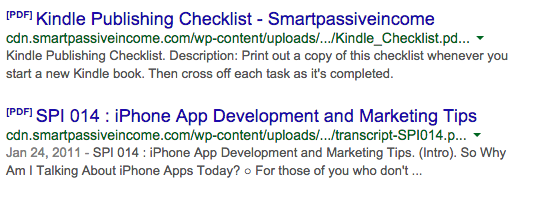
Though google can rank a PDF in the search engine (see below), I don’t think it has nearly the amount of influence as a written article.

Screen Shot 2015-02-06 at 6.55.22 PM

I think there are a few benefits to including a transcript and having “show notes” for your podcast, but I also think that doing it the wrong way would just be a waste of time. Check out some of tips below for doing it the right way. I’ll be implementing these on my new blog posts and measuring the results in the coming months.

1. Format the post like an article, not a transcript.

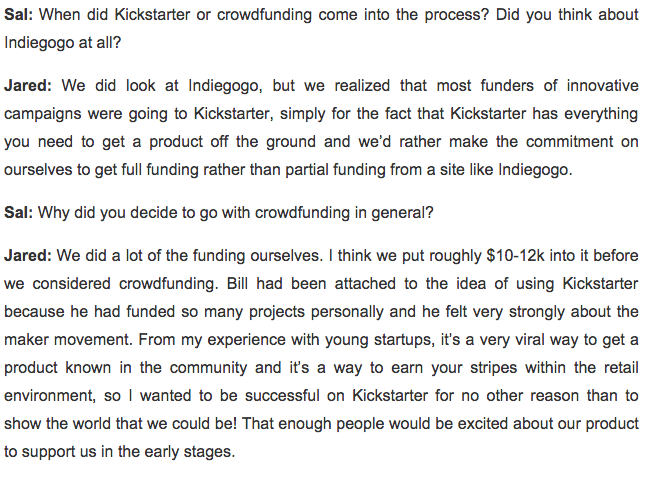
When you think of a typical transcript, you might think of a long-winded blog post like the screenshot below.

transcript crowdcrux example

However, this format ignores many of the common SEO recommendations like linking to relevant other websites when appropriate, formatting the article according to H1, H2, and H3 tags, and including images with appropriate titles/alt text.

Therefore, I’ve started formatting my transcripts more like an article, which I believe are better for readers and search engines. I’ve included an example below.

transcript example

I think that this format will prove better than the traditional transcript format. I’m also now linking to other articles/websites when appropriate inside the transcript.

P.S. If you’d like to learn more about SEO, I highly recommend this book: Inbound Marketing and SEO: Insights from the Moz Blog. I know that SEO is always changing, but this book has some very good core principles.

2. Emphasize the value of the transcript and the “show notes” in your podcast.

It’s no secret that the best way to incentivize someone to do something is to give them something! Usually, that’s something they want. This is why you see so many blogs offering a “free ebook” or “free checklist” if you subscribe to their email newsletter.

When people discover your podcast on iTunes or through other platforms, I think it’s vital to get them to the “hub” or home location for all your content and products. This is your website!

I know that platform companies like Apple, Facebook, Twitter, LinkedIn etc. don’t want to hear it, but the goal isn’t to keep interacting with your potential customers on Twitter and to create great content for Twitter. It’s to get them off their platform and on to yours.

One way to do this is to point out that all the key takeaways, valuable resources, and even the transcript itself from particular podcast episode is available on your blog. Don’t forget to give your listeners an easy way to find the post.

I’m going to start doing this by pairing my podcast episodes with the accompanying redirect URL on my website, like:

website.com/podcast/1 for episode one or website.com/podcast/135 for episode 135.

However, the original podcast episode will still read website.com/title-of-the-podcast, which is more SEO friendly.

3. Find an affordable transcription service.

I really hate spending money on new projects. A typical transcription rate is about $1-3 per minute, depending on the quality and accuracy of the transcription. At the moment, I’m doing 30 minute episodes every Friday. That could be a $120 – $360 monthly commitment.

To help ease that cost, I’ve found a sponsor for the show, which will cover the transcription costs. In addition, it occurred to me, why do I need an exact transcription?

True, that’s the definition of the word, but why should I have someone transcribe the words “Well, uh, I guess… hmm… I guess I think that the product’s success was due to x,” when they could just write “The product’s success was due to ____.” or “____ caused the product’s success.”

For now, I’ve found a cheaper transcriber who, with my help, is paraphrasing the episodes. This makes it easier to digest the text and cuts down on the time it takes to transcribe them.

P.S. In my experience, guests tend to like it when you provide a transcript! It bumps up your “official” meter a bit. For some practical tips on how to get a guest on your show, see this post.

4. Don’t forget to inter-link posts and link out to other websites!

I think the best part about including a transcript on your blog of each podcast episode is that there is ample opportunity to link to other resources on your site or around the web.

When I’m conducting an interview, I don’t always remember that we talked about something in a previous episode that a listener might like, or that I outlined a few tips regarding one point in a previous blog post. Now, I’m starting to link to previous resources and podcasts in my transcripts!

Again, this will improve the authority of your website, and also connect people with the resources they want!

Should you publish a transcript for your podcast episodes?

I think the answer depends on what your goals are. My goal is to grow my SEO traffic, so including a text transcription makes a lot of sense. I’m still experimenting and will report on my results at a later date.

If you are trying to grow your email list from listeners who discover you in the iTunes library, then maybe you should offer the transcript as a download in exchange for their email address.

You could even offer the transcriptions as a paid download for your podcast!

Whether or not you decide to include a transcript, I definitely think having “show notes” or links to the resources mentioned in each episode is vital, and these should go before the transcript for easy access.

Do you agree with me? Are you going to have your podcast episodes transcribed? Let me know in a comment below! 

Read More
1 3 4 5 6