Announcement!
THE PERFECT PODCASTING VOICE
Rapid Vocal Training for Podcasters
FREE Course
tips

Zencastr vs. Cast

Zencastr and Cast are two online applications that you can use to record a podcast when you have two remote guests.

There are some great reviews of each online. I wrote about Zencaster a while back going through how podcasters can use it to record guests.  I also have used other tools like Skype paired with Ecamm Call Recorder.

I wanted to compare and contrast these to podcast recording applications because I think there are pros and cons to each. As a beginner looking to get crystal-clear audio for your show, the tools that you use are critical!

The tools in your podcasting toolbox can make you sound like an amateur or a pro. They can make the recording process easy as pie, or as hard as solving a rubik’s cube.

Let’s get right down to business.

1. Zencastr

Zencastr is an online tool that you can use to record one or multiple guest interviews from around the world. This tool will also create a separate track for each guest, so that you can normalize the audio easily at a later point in time.

It’s nice having Zencastr back up your podcast episodes. It’s also great how you can have one specific room for each guest to keep your show organized. You don’t have to wait for uploads anymore either (like before).
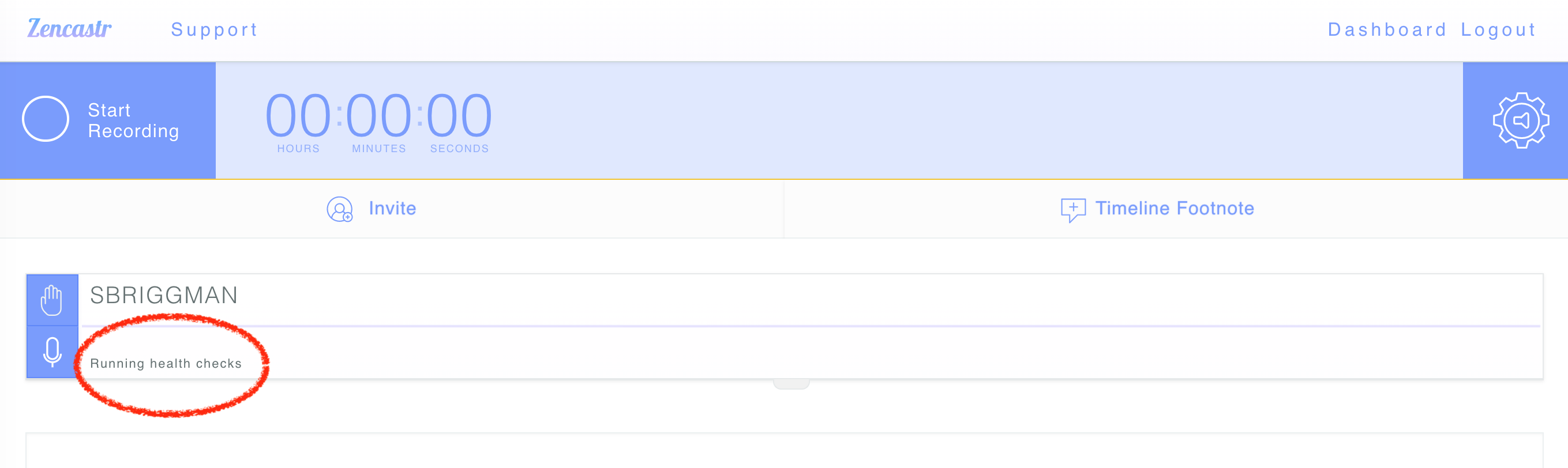
The guest can leave right after the episode is completed. I also enjoy how the app will do a “audio check” and warn you if there may be any connection problems throughout the show. This way, you can as your guest to check their audio before the episode begins. You won’t be as likely to face issues in the middle of the recording.

When you’re using other tools, like Skype, it can sometimes be guesswork as to whether or not your audio will hold up. You have to judge based on how the other guest rates your audio. You never know, in the middle of the podcast, it could completely drop out.
If you’re familiar with apps like Levelator (which was don’t work anymore for mac), then you’ll like the feature called post-production with Zencastr. As I mentioned, the application will create two tracks of audio.

“Automatic Postproduction will mix the tracks together into a single track and also run some audio enhancements to make it sound great. These enhancements include leveling, noise gating/suppression, and dynamic range compression.” – Learn more here

At the time of writing, there is a free plan and a paid plan for Zencastr. Right now, I am on the free plan, but I can see a lot of value in the paid plan. Especially if you combine it with another tool to publish your podcast to an RSS feed so that it can go on iTunes easily.
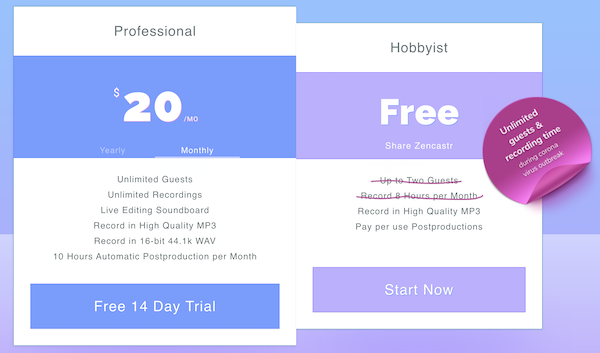
Now that you’re familiar with the functionality of this podcast recording application, let’s discuss some of the pros and the cons of this service for beginner, intermediate, and expert-level hosts. This analysis will help you to make a decision if you’re on the fence of whether or not it will be beneficial for your recording needs.

PROS OF ZENCASTR

  • FREE plan so that you can test out the service
  • Two-track recording for enhanced editing and paid post-production processing
  • Don’t need to install any applications. Easy for a guest to join.

CONS OF ZENCASTR

  • Sometimes has more cutting out than Skype and a tiny more lag, depending on connection.
  • Must subscribe to service, which is a monthly expense
  • No video recording option, like Skype

CAST
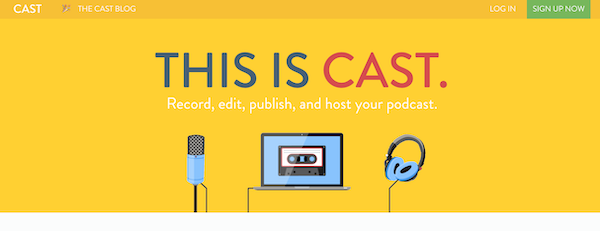
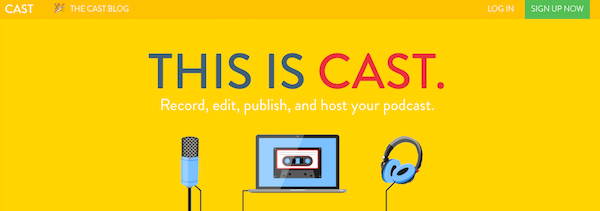
Cast is an online application that will let you record, edit, publish and host your podcast. It’s a bit more comprehensive than Zencastr in that way. You would use “the studio” to record your podcast. It works online, so you don’t need to download an application.
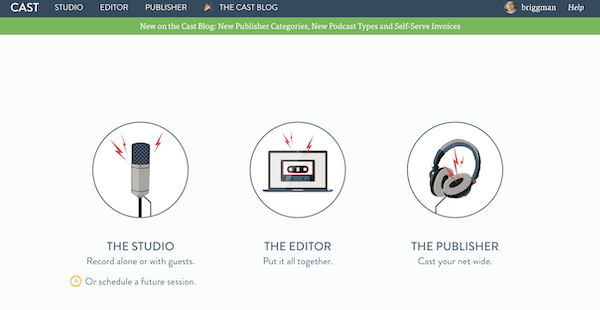
The first thing that I noticed when joining Cast was that there is a very strong onboarding process, showing you how each of the buttons work. This can be helpful if you’re not very familiar with online applications. The studio also has one difference from Zencastr, which is the “raise hand” tool which lets a particular guest indicate they have something to say.
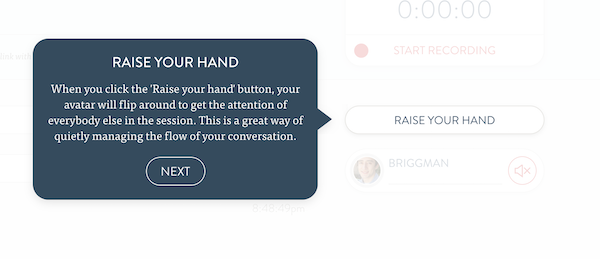
Of course, you could do this on your own using Zencastr by simply typing in the chat. That being said, it’s a nice nifty feature to have!

After you record your podcast, you can also edit it on Cast using the editing tools which let you use presets like dynamic compression. Again, there is the onboarding process which shows you how it all works. If you’re not familiar with audio editing, this can be very useful.
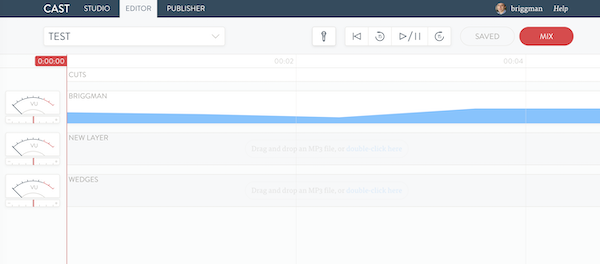
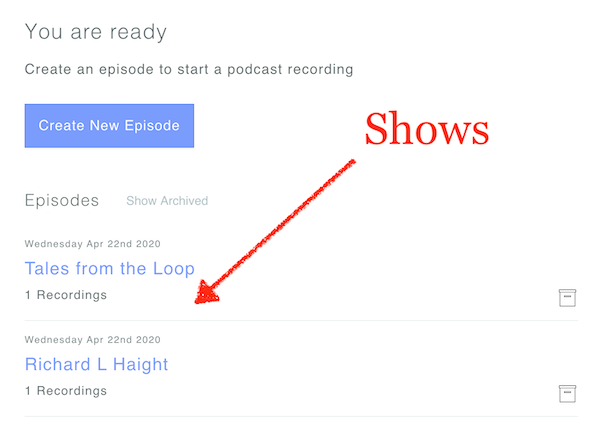
The dashboard will show you all of the audio from the guests that were recorded. It’s all online, so you’ll use the various tools available on the software. You can then publish the podcast to your own RSS feed, and get accompanying analytics on the downloads. The website will also host the episode shows for you. In this way, it’s a competitor to other apps like Libsyn and these.

You’ll get a unique URL for all of the recordings, and you can also have the RSS feed synch up with other apps, like iTunes or SoundCloud. Cast will also host the media files that make up your podcast, and they will give you analytics on the show downloads.

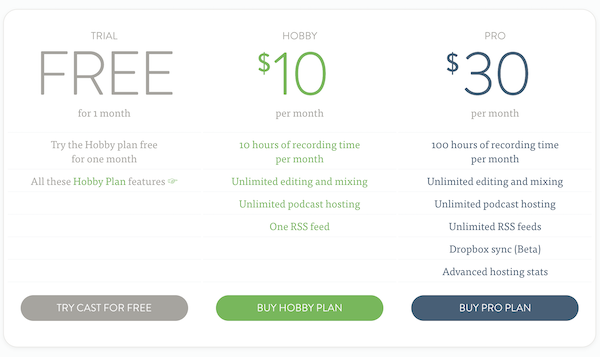
In terms of pricing, there is a free trial for one month. You don’t have to put in your credit card to try it out. For hobbyists, it starts at $10/month and pro users go upwards of $30/month.
PROS OF CAST

  • Comprehensive three in one application for your podcasting needs
  • Strong onboarding process to make it easy to see which buttons do what
  • Browser-focused audio recording, storage, and publishing. No software downloads like Skype.

CONS OF CAST

  • Free trial is only for 30 days
  • Audio editing doesn’t have hotkeys or easy editing features like Garageband
  • Is an all-in-one solution, so might be overkill if you’re only using it for recording audio.

Which Would Do I Recommend?

This is a tough one because it really depends on your editing needs.

Personally, I enjoy using Garage band to edit my audio (or have my audio editor do it). I also use Libsyn to host my podcast at the time of writing, so I couldn’t envision myself using the hosting features of Cast. To use it just for audio recording, I’d have to pay $10 per month and would get 10 hour of recording time per month. I could instead use Zencastr for free and get 8 hours of recording per month. Therefore, for me, it makes more sense to use Zencastr.

That being said, Cast is a very quality application that can be a great fit for you, especially if you’re looking for more powerful technology in a box. It can make it easier for you to get started with podcasting, rather than trying to also figure out which podcast host you should get, and what application you should use to edit your audio.

 

Read More
tips Voice

How to Find Your Authentic Podcasting Voice

Are you struggling to find your unique podcasting voice?

Maybe you can “fake it” and sound good on a podcast, but you struggle when it comes to sounding like you.

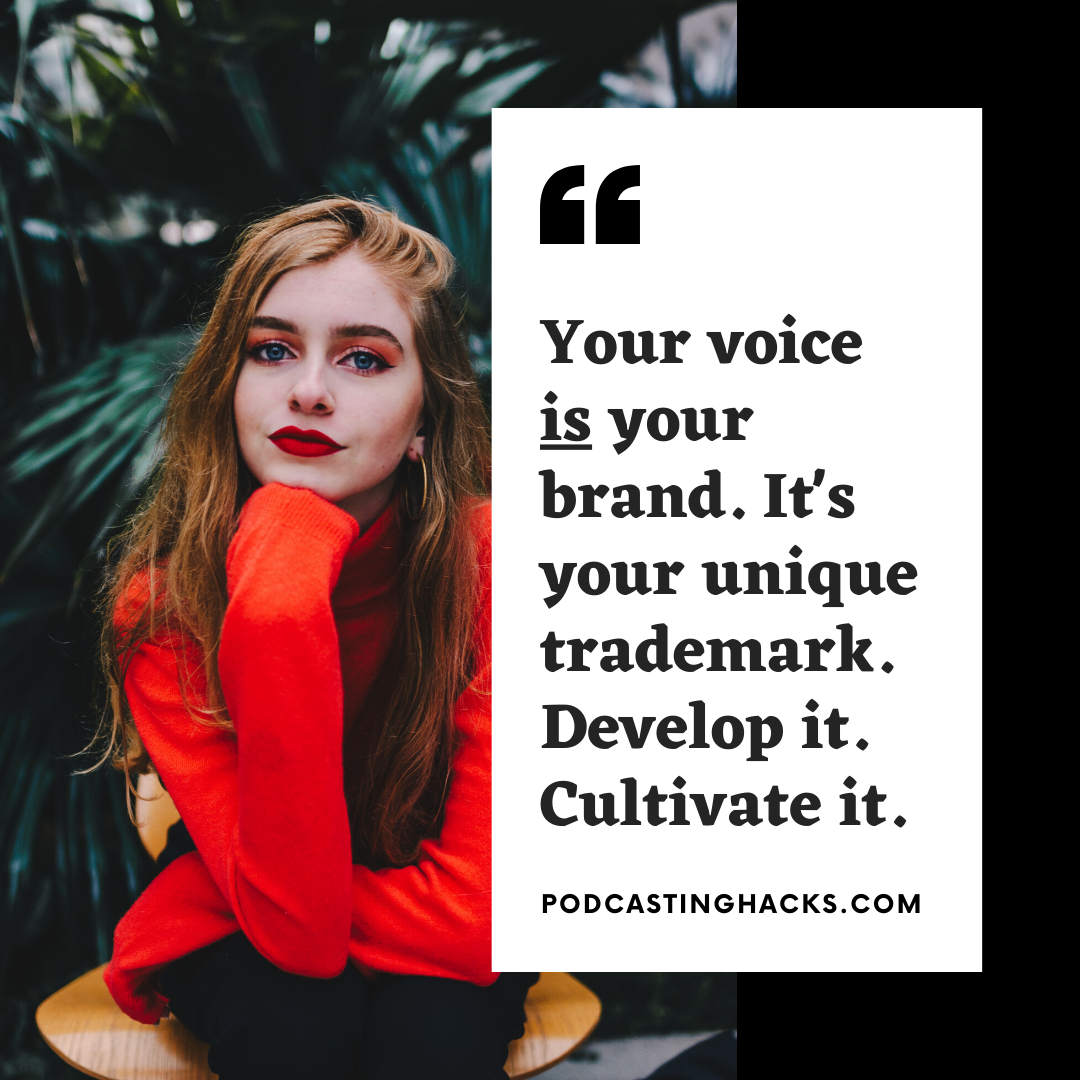
Remember, your voice IS your brand.

When you try to copy how someone else sounds, you’re basically just getting attention for their brand. People will say “oh man you sound like…” They’ll think of that other person when they think of you.

Your voice is not only your brand, but it’s your trademark. It’s your unique fingerprint. Develop it. Cultivate it.

I had a heck of a lot of trouble when it came to developing my own unique voice for my podcast. Let’s just say that there was a lot of trial and error. Ironically, I think that most of my problems were up in my head. There weren’t any real problems with my vocal cords.

I’ll admit it — I suffered from IMPOSTER SYNDROME. I was scared that if I started to sound like the real me, then no one would listen to my podcast. I was also afraid that when people criticized my show, it would cut so much deeper. They would be criticizing the real me, rather than some online character that I had developed.

One day, I ended up meeting a podcast listener in person. They were a video production expert and had this massive penthouse in manhattan where they would film commercials. It was pretty sick.

Anyway, I met up with them in the early days of my podcast. They gave me a few tips when it came to my up and coming YouTube channel. I got some great info on the best camera to use, how to do lighting, and even some video editing tips.

We were hanging out eating lunch when the guy leaned over and said, “You know you’re a lot quieter in person than on that show.” He took a bite of his sandwich.

“I kinda like this version of you better. It’s more natural,” he said, taking a swig of a coke can. “They’re both good, but you seem more human to me now.”

I paused and thought a moment. He was right. I didn’t sound authentic on my podcast. I didn’t sound like a human being. After that meeting, I set out on a quest to transform my voice. It led me to many vocal experts and teachers, and eventually, I was actually able to change the way that I sounded.

You can listen to the “before and after” effects of my training here.

Anyway, I wanted to put together a few tips and tricks for any podcaster out there who also is working to transform their voice. Hopefully this will help guide you in the right direction. Remember that no one else can be you. It’s your unique identity. Its powerful, when you embrace it.

1. When Did You Last Sound… Powerful?

Take a second to take inventory of your life. I want you to think back to a time when you ENJOY the way that you sounded.

That could be when you’re hanging out with friends, giving a talk in front of employees, chatting late at night at a bar, or any other scenario that comes to mind.

Chances are that you can think of SOME time when you like the way you sounded. Probably, because you sounded confident, powerful, witty, charismatic, or had the attention of whoever you were in conversation with.

You have sounded good before, so now it’s all about replicating that same mindset, speaking cadence, tonality, and volume when you’re live on a podcast. Do you get my drift? 

If you’ve never been happy with how you sounded in life, then you’ll probably want to start to drill into the actual mechanics of voice. This is what I had to do. I had to get a crystal clear understanding of the different components that make up my voice, so that, like a violinist, I could play different notes depending on my mood.

I’ve always been a little shy, awkward, and introverted, so I had to go through this bottom-up process. By the end of it, I had changed the way I sounded on my podcasts, but also in my personal life! I had many people (especially in dating scenarios) take notice of my newfound confidence.

2. Write Down Your Assumptions About Others

I know for SURE that I thought you had to speak a certain way just to get noticed as a podcast host. Not only that, but I saw everyone speaking like they had a “radio announcer voice” so… I just kind of thought that’s what you were supposed to do!

Boy, was I wrong.

You see this in a lot of industries. Some YouTubers will “hype up” the way they talk, because they think that’s what’s required to connect with their audience. Only, there are thousands of examples to the contrary.

You might even think people like Russel Brunson have a certain fast-paced crazy way of speaking, but if you actually pay attention to when they use this voice, it’s ONLY during a sales scenario. They only adopt this rhyme and cadence when they are trying to sell you something. The rest of the time, they sound like a normal human being.

Write down your assumptions of why you have to talk the way you are right now. Maybe you have seen other podcasters doing it that way, so you’re just copying them. Maybe you think you gotta shout in order to get noticed. Who knows. Write it down.

In order for you to ever truly embrace your authentic voice, you’re going to have to let go of all of the reasons you came up with. You’ll have to find counter-examples to prove to your mind that you don’t have to speak that way in order to be heard.

Don’t you get it?

You’re silencing your own voice, because you don’t think anyone would ever listen. You’re afraid, so you’re sheltering it from the world.

3. Make The Decision

You have two paths.

If you can never think of a time in your life that you liked your voice, then you have to commit yourself to improving it. I run a course called the Perfect Podcasting Voice that would greatly help you with this. I’ll show you step-by-step how to master your voice and take control of your podcasting career.

However, if you CAN think of a time in your life that you liked your voice, then it’s all about your mindset.

You need to put yourself in the same mindset as that time you recall in your memory.

This might mean:

  • Relaxing yourself before a show
  • Going through exercises to get more talkative
  • Having pre-show banter with the guest to warm up
  • Adopting confidence-building mantras to build up your conviction
  • Removing any mental filters that stop you from talking off the cuff

I tend to find that your actual mindset is guided a lot by your environment. Meaning, if you’re around a bunch of your friends who already accept you, then it’s easy to be yourself. But, if you’re around a stranger or someone who you deem as being “higher in status” than you, then you might freeze up.

In these latter cases, you may need to do some more pre-interview warm ups to actually befriend your guest. This way, they don’t feel like some kind of stranger that you’re talking to. You’ll stop being robotic and start being authentic.

To be honest, I think you would also benefit from some vocal exercises to get you into a better mental state, as these exercises are designed to relax you and make you feel more confident.

Read More
tips Voice

7 Effective Voice Exercises for Podcasters

No one gets on stage and just wings it. 

Actors, comedians, singers, and any form of performer will go through a gradual warming up process before they get out there in front of the crowd. Podcasters are no exception.

Just like you would stretch and warm up your muscles before a big dash, as a podcaster, you should go through regular vocal exercises to take care of and strengthen that valuable instrument, your voice!

Not only will you sound better, but you’ll also make sure that you don’t damage your vocal cords from long discussions. I know that sometimes I’m doing podcast interview after interview, and it can be a lot of stress on my own vocal cords.

Here are some effective ways that you can warm up your podcasting voice. By the way you should also look into these techniques for speaking better in general.

1. Loosen Your Jaw and Lips

This is a great vocal exercise if you don’t talk a lot in your normal life, but suddenly turn into a chatty wizard when you go on your show. A lot of the times, we forget that our lips and our jaw are an important part of our voice.

When you are “tight lipped,” or don’t open your mouth very much when you speak, you’ll find that a lot of your words sound mumbly. That’s because your lips aren’t open enough to allow the sound to travel from your vocal cords to the listener’s ears.

By “yawning,” stretching open your mouth, and practicing over-enunciating what you say, you’ll warm up your lip and jaw muscles for when you go on your podcast.

2. Do Scales to Warm Up Your Pitch

Start with the lowest and most resonant voice that you can muster, and proceed upwards saying “ah.” See how high you can go and where your voice begins to crack.

We have two types of voices:

  • Chest voice: that lower, more resonant sounding voice where your chest vibrates when your chest vibrates when you talk.
  • Head voice: that higher pitched, upper-range part of your voice. Singers report feeling a vibration in their head, rather than in their chest.

When you do scales, you engage both types of voices, and typically there is a break point in the middle.

3. Practice Breathing Through Your Nose

The breath is fundamental to your voice, just as it is for any wind instrument. To speak effectively, you must master your breath! This begins with breathing through your nose to moisten the air quality that you take into your lungs.

When you breath through your mouth, the air coming in is much dryer and can dry out your through, the longer you talk. It’s more damaging to your mouth. When you breath through your nostrils, the little hairs in your nose referred to as nasal turbinates (or nasal conchae) will help to moisten that air.

As an exercise, breath through your nose and then speak when you’re breathing out to get into the habit of it.

4. Lower your adam’s apple (aka your larynx)

This is a big sticking point for MANY podcasters. You gotta lower your adams apple, relax, and that way your vocal cords don’t have to do as much work. When your larynx is pulled upwards, it makes it harder for your vocal cords to fold and close. If you’re nervous or anxious, you might tighten up in this fashion.

By relaxing, you can lower your larynx, making it easy for your vocal muscles to do their work. your adams apple should be as relaxed as possible (without forcing it to lower). You’ll produce a much better quality of sound this way, and it will take a lot less effort. If possible, I’d watch a vid on how the vocal cords actually work.

As a simple exercise, pay attention to whether or not you’re tightening your adam’s apple as you talk, and relax yourself if it does happen.

5. Improve Your Body Posture

Your body IS the instrument that you’re using to command your voice. If you’re slouched over, it’s going to be hard for air to travel to your lungs effectively. The sound and volume of your voice will be effected. You won’t sound your best.

By being aware of and improving your body posture, you’ll also affect the emotional inflection of your voice. By simply having a more confident body posture, you’ll notice more tones of confidence in your voice. I discuss this more in the Perfect Podcasting Voice, my online course.

For this exercise, first assess how your body is positioned. Make sure that you role your shoulders back, that you’re sitting upright, and positioned in a confident manner.

6. Breath Into Your Diaphragm

When we’re going through our daily lives, many of us will breath into our chest. You might be stressed, nervous, or anxious. As a result, you take shallow breaths. You can feel your shoulders rising up and down, along with your chest.

To maximize the punch of your voice when podcasting, you’re gonna want to make sure that you breath into your belly, using your diaphragm. By doing this, you’ll avoid straining your voice on the podcast. You’ll also feel much more relaxed.

For this exercise, I recommend doing a little bit of meditation, but if you’re not interested in that, then just take five minutes to breath into your belly. As you exhale, practice speaking so that you get used to using your diaphragm this way.

7. Get Your Mind Nimble

As I discuss here, there is a lot more than just your vocal cords when thinking about a great podcasting voice. So much of interviewing guests and speaking on the show comes down to psychology.

If you’re not in the right frame of mind, then you’ll never be able to do things like come up with witty comebacks, illustrate concepts using beautiful analogies, or maintain your confident voice when you’re interviewing someone who’s powerful or famous.

A simple way to get your mind nimble is to practice tongue twisters, so that you can easily talk quickly. Another is to do a game of word association, so that you get used to talking on your feet and coming up with ideas on the fly.

Read More
tips

5 Alternatives to Levelator

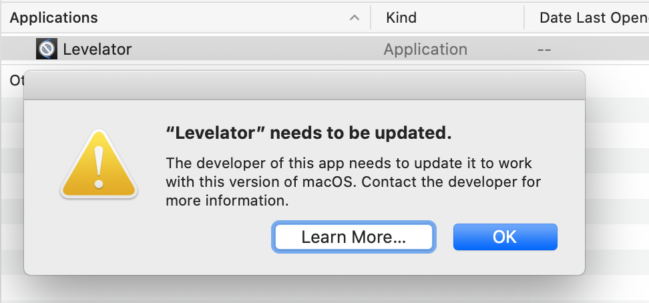
Ahh… the day has finally come where Levelator is no longer compatible with Mac OS (starting with Catalina).

This trusty application served me as a quick and dirty way to adjust the audio levels for a podcast when my guest’s voice was louder or more quiet than mind.

What are ya gonna do now? What are some Levelator alternatives out there?

I’m just as frustrated as you, so I’ve put together a few options that you can explore, as well as how I’ve been getting around this nifty application.

I hope you find this list helpful, and if you’d also like to look into improving your voice on a podcast, I have some great vocal exercises that you can look into.

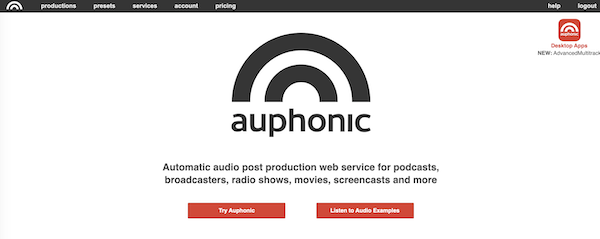
1. Auphonic

When it comes to substitutes to Levelator, Auphonic is a great option! You can easily process an audio file by uploading it to the online interface.

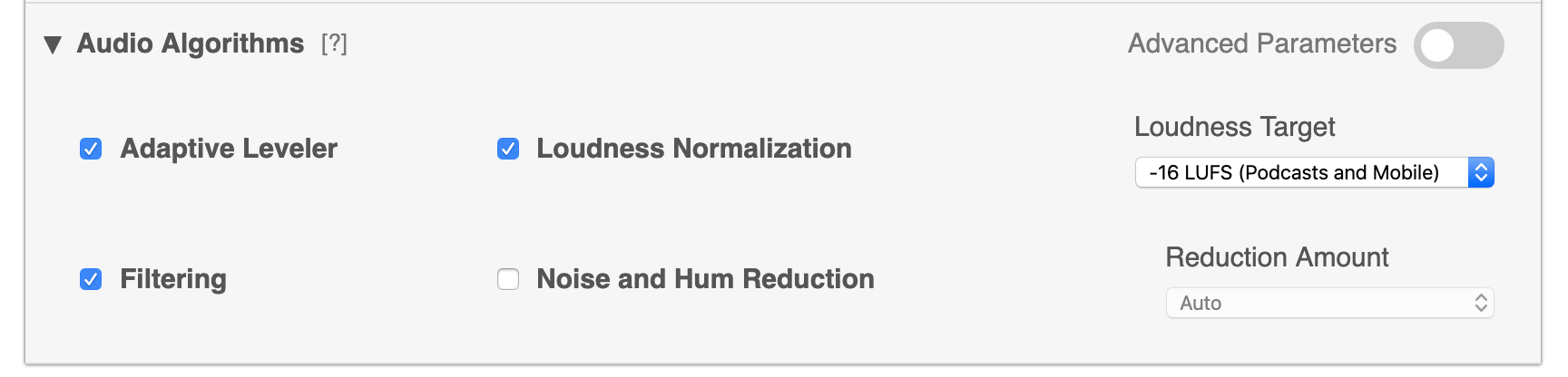
You can run it through a few different types of algorithms to normalize the audio, level it, or use noise reduction. The Intelligent Leveler will balance any differences between speakers, music, and speech. You don’t need to know anything about audio compression.

The only downside is that after the 2 hour upload limit, this is a paid service. Then it is $11 per month for 9 hours of audio processing per month.

2. VMWare Fusion

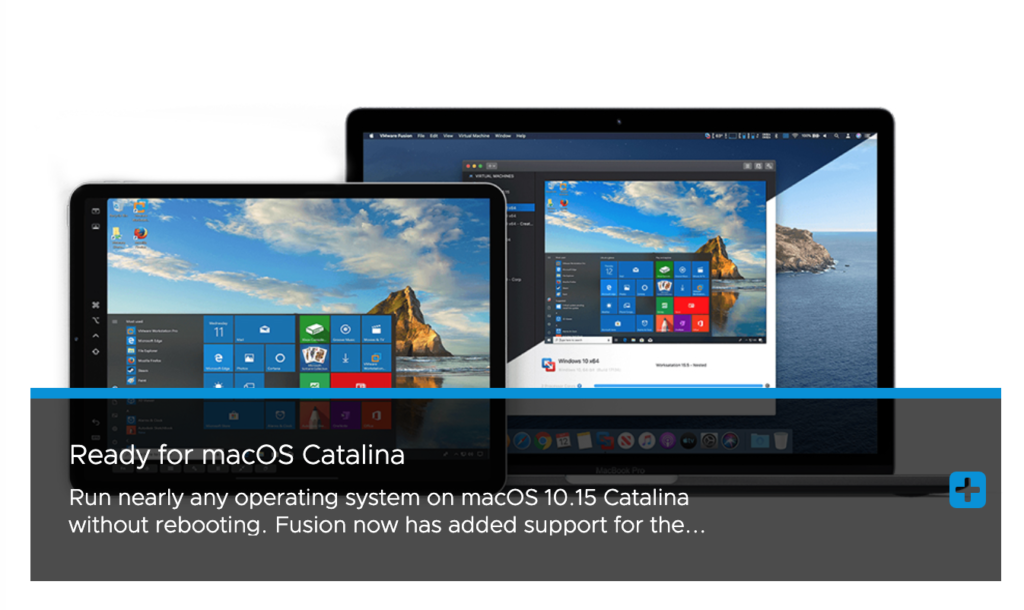
Technically, you could use VMWare to simulate a Windows environment so that you can run Levelator. This powerful software allows you to run any operating system on a Mac. You don’t even need to restart your computer.

It comes in at the hefty price of $79, so it might work best if you also have some other Windows application that you wanted to run on a Mac. For example, if you wanted to continue to use apps like Audacity (which still isn’t good for Catalina).

Personally, I don’t think that this is the best way to solve this problem, but I wanted to include it in the list.

3. Amadeus Pro

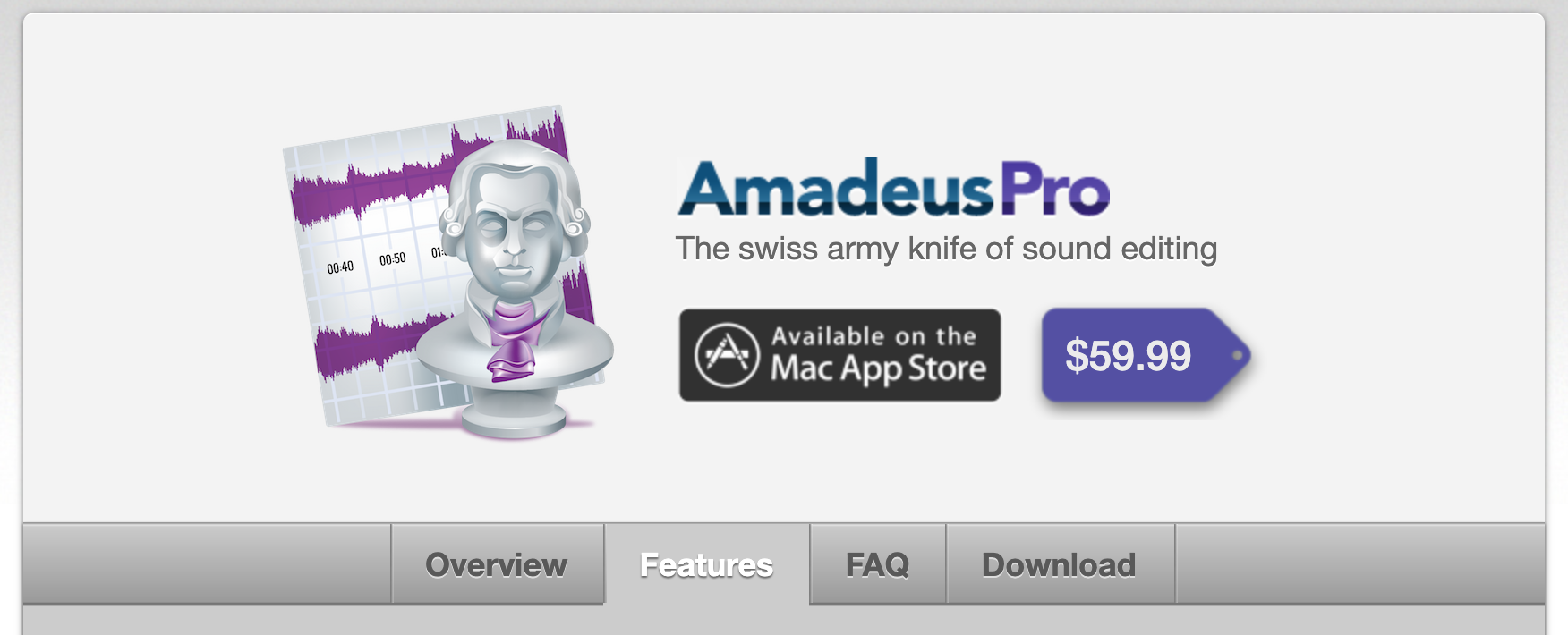
You can use this software to simulate what Levelator did for your podcast file. You would do the “AUDynamicsProcessor” under the Effects menu in the program. You can also make use of multi-band graphic equalizers, volume normalization, pitch changes, and more.

It’s gotten some mixed reviews, but is something that you could look into as an alternative to Garageband.

This program comes in at $59 on the Mac App store.

4. Multi-track Zencaster (or Ecamm) + Garageband

For this solution, as a workaround for Levelator, you could consider using an online recording app like Zencaster in order to have audio independently recorded for two guests. Then, you could export that audio into Garageband, level the audio volumes yourself so they are even, then export that track. Lastly, you could import that edited track and work with the raw podcast file that way.

As another solution, you could use Ecamm recorder for Skype to create two split tracks of audio. Then, you’d import them into Garageband, level the audios separately so that they are around the same volume, and export that file. Then, you’d import it back in and work with the raw podcast recording that way.
This would likely be the least costly option, but would require some additional audio-editing steps unfortunately.

5. Convert Audio

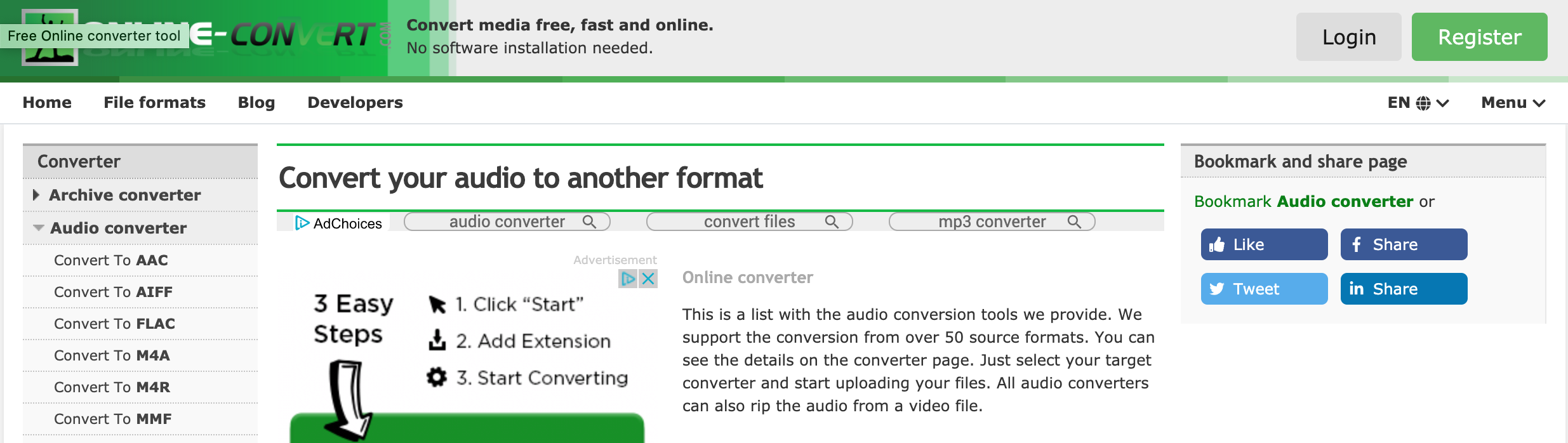
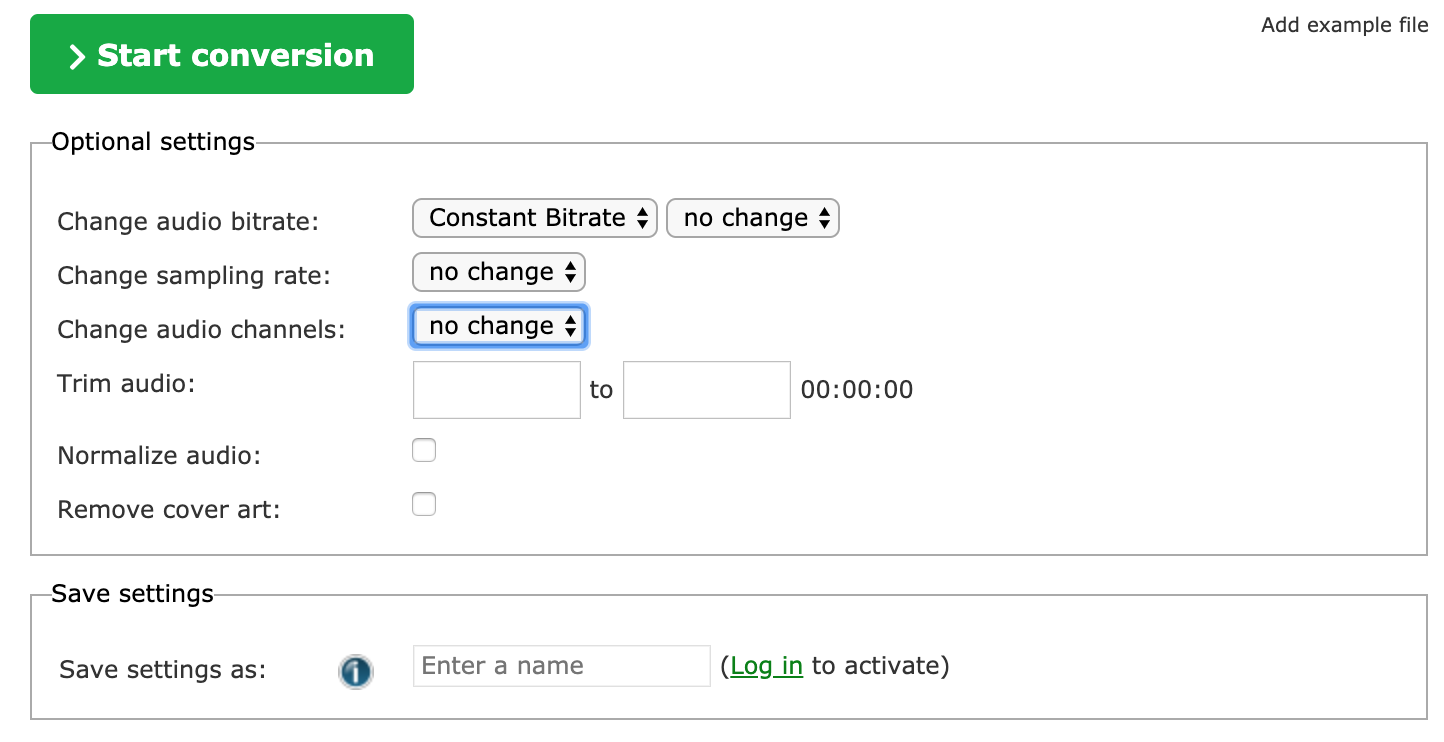
As a duck tape solution, you could consider using this service and checking “normalize audio” when you output. Granted, this would only work for voice-only tracks and not be as good if you had music in the show. It’s a quick and dirty solution if you didn’t want to try something more sophisticated.

There are some also functions that you can change when you export this audio, like the bit rate, sampling rate, and trimming the audio. This is some basic audio editing functionality you can use for your track.
 

Read More
tips Voice

How to Sound Natural on a Podcast – 3 Effective Tips

Podcasting Voice

Wanna sound natural on a podcast?

When I first started podcasting, I sounded meek, monotone, and boring.

Haha – I went from sounding like that to sounding like a radio announcer. It was freakin’ cringeworthy.

If you really wanna hear how I first sounded, you can watch the video below.

I sound pretty weird, right?

Okay, enough laughing at my expense.

I want to get into some practical and effective tips to help you discover your authentic podcasting voice. These tips will get to the root of how you sound naturally, so that you don’t sound like a caricature of yourself.

Some of these techniques might seem silly, but I promise you, if you follow along, you’ll start sounding better in no time!

1. You’re Stuck In Your Head

Have you ever noticed that it’s pretty easy to sound natural while you’re talking with your friends, but the second you go on a podcast, it’s suddenly hard to speak the same way?

You get all flustered, nervous, and you don’t feel comfortable. You don’t feel like yourself.

While you can be witty and funny with your friends, you struggle to be so on a podcast.

The reason behind this change is that you suddenly go from being relaxed and unfiltered to feeling like you need to filter the words that are coming out of your mouth. You put so much mental energy into “sounding good” that it takes you out of the present moment and you get stuck in your head.

When you’re filtered, you don’t sound organic. You’re spending too much energy carefully selecting the words you’re gonna say. You’re acting in the same nervous fashion as when you’re talking to a hot girl. It’s almost like you’re putting on a mask to avoid being yourself.

To get over this problem, I recommend that podcasters go through a specific process before they go live on the podcast. This process is designed to make you unstifled. You’ll feel more free to express yourself. You’ll stop suppressing what comes to your mind.

I detail the specifics of this method in my FREE course, The Perfect Podcasting Voice, but put simply, you’re going to want to start doing a word association game. In this game, you must NOT STOP TALKING for the span of five minutes. You ignore the critical judgement and critical faculty of your mind. Instead, you let each thought cue the next, until you’re associating each thing you say to the previous sentence.

This simple exercise will help to make you less stifled. It will get you thinking on the fly.

2. You Try to Replicate a Famous Podcaster

I’ve seen this happen countless times, where a beginning podcaster will try to sound like a pro that they admire. They will take on that person’s tone of voice, mannerisms, and common phrases.

Heck, I’d be lying if I didn’t admit to doing this myself. I totally have.

I remember when I published my first few episodes in 2015 that I tried to sound like Tim Ferriss, a podcaster that I looked up to at the time. From my transitions to the ending of my show, I would mimic the way he did his.

Why did I do this?

Because I thought that meant I would get more downloads. I also though that podcasters were SUPPOSED to speak that way. Boy, was I wrong.

I remember one time, I met one of my listeners in person. He was nice enough to give me some video editing tips for my new YouTube channel, and in return I was going to give him some advice on his business. About thirty minutes into our convo, he said, “You know Sal, I’m surprised. You sound different in real life than on that show.”

Internally, I started to panic. I could feel a cold sweat forming on my forehead. Had this guy figured out that I was a sham? That I’m not as cool as he thought?

He smiled and said, “I think you should sound more natural on your show next time. You sound better in person. More human.”

The second I stopped miming others and developed my own authentic voice, I started to finally make a connection with my listeners. I had fans reaching out, saying that they felt like they personally knew me, because they had been binge-listening to my show for the last couple of months.

WOW!

To sound natural, you have to give up your persistent desire to mimic other successful podcasters or shows. This might be an internal belief, that you’re not even aware of. You have to be willing to go all in on YOU.

You don’t want to be a shallow copy of someone else. You want to be an original.

Still searching for your voice? Here’s my guide to a Perfect Podcasting Voice.

3. Use literary devices (like these)

When you talk to your friend, you don’t sound robotic. If you did, no one would listen to you. You might not realize it, but when you’re having a good time with your friends, you naturally tell stories.

You tell silly stories of what you did last week, use metaphors, and make use of analogies. Rather than having a boring logical table conversation, you two are laughing your asses off telling jokes and bonding over memories.

All too often, the second a podcaster sees that they are “recording,” they start to panic and focus on two things:

  1. Talking quickly to maintain attention
  2. Sticking to dry, boring, logical facts in an attempt to be useful.

No one wants to read some company memo or listen to a boring professor drone on and on about philosophy. It’s a shame, because philosophy is a really interesting subject. If only that professor had spiced things up a bit!

The way to transition from sounding inauthentic to sounding organic and natural is to use the same literary devices that all of us use in conversation. It takes a bit of practice. I run my students through specific vocal exercises to get them better at coming up with metaphors on the fly.

A simple exercise you can do at home is to take five minutes and come up with as many visual images as possible to describe an object in your surrounding view. For example:

  • “The water in this water bottle is very cold. It’s almost like the kind of water you’d expect canoeing on a glacier in Alaska. Just imagine dipping your cup into that crystal clear water and taking a sip. It’d be the coldest and purest darn water you’ve tasted in your life!”

Now, I could have just said that the water was cold. That is LOGICALLY what the water is. However, by describing it visually, it makes listening to me far more interesting. I suddenly create a mental movie in my head, and I can almost taste how darn cold that water is.

Copywriters do this all the time to sell products. You can also do this on the podcast to be more authentic and relatable. I would consider incorporating:

  • Analogies: situations that are similar to the one at hand. It tends to be an elaborate explanation “Life is like fishing. When you fish…”
  • Metaphors: short direct comparison. “Life is a roller coaster.”
  • Smilies: comparison using like or as. “Life is like a box of chocolates.”
  • Stores
  • And, when you can, a sprinkle of humor.

These are some easy ways that you can begin to sound more natural on a podcast. Hope they help!

Read More
tips

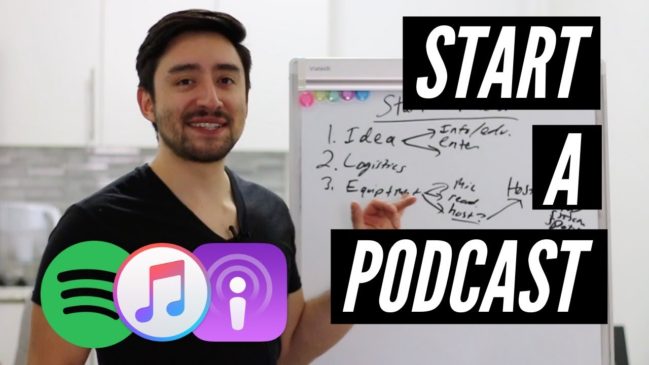
How to Start a Podcast in 2020 in 5 Easy Steps

Do you want to start a podcast in 2019?

I’ll share how to start a podcast in 5 EASY steps!

This is a complete guide to get started podcasting quickly and publishing it into a major marketplace like iTunes or Spotify.

From that point, you can go on to attract fans, listeners, and customers. I hope that you find the video I put together to be helpful. You can watch it below.

Afterwards, I’ll do a breakdown of the entire video so that it will be easy to access all of the notes and links.

Starting a podcast doesn’t have to be confusing, difficult, or downright frustrating.

In fact, if you follow the steps that I’m outlined, you can get set up pretty quickly.

The first and most important part is coming up with a KILLER SHOW IDEA. One that listeners are gonna want to tune into.

This is part art and part science. No one could have predicted the success of some of the podcasts out there. However, there are some tried and true tips that I’d like to share with you down below.

1. Pick a KILLER Show Idea

The style of your show is going to dictate the individual format of your podcast episodes, along with the ways you can actually monetize the thing.

I’ve made plenty of marketing mistakes along the way and I can tell you that the style of show will also affect the marketing of your podcast.

So what do I mean by the “style” of your show?

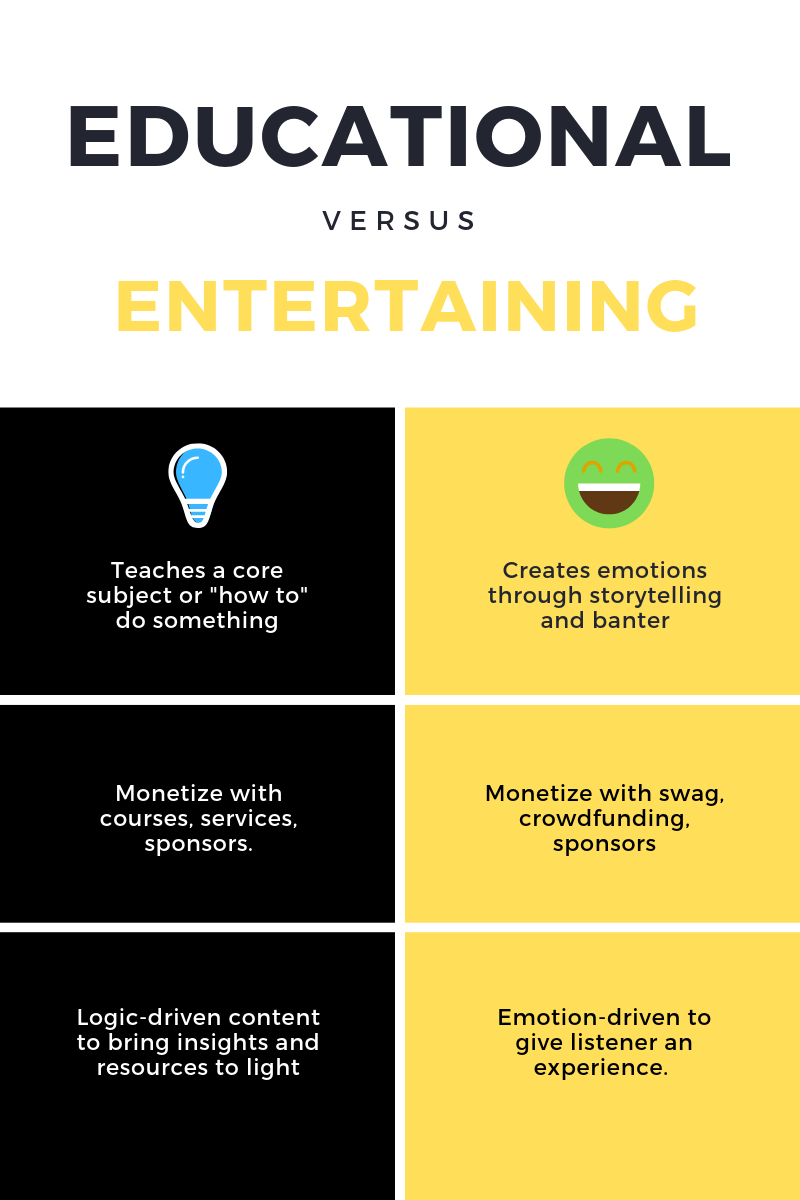
Well… put simply, there are two types of show ideas. There are educational shows and entertaining shows.

Educational shows are meant to teach something to the listener. They should be bite-sized lectures, informative interviews with experts, or even group conversations on a particular topic. Educational shows have the aim of helping someone accomplish a task, whether that’s building a business or starting a blog.

When coming up with an idea for an educational show, you need to do some competitive research to see who the other teachers are out there in the industry. How can you stand apart? Why aren’t they teaching effectively?

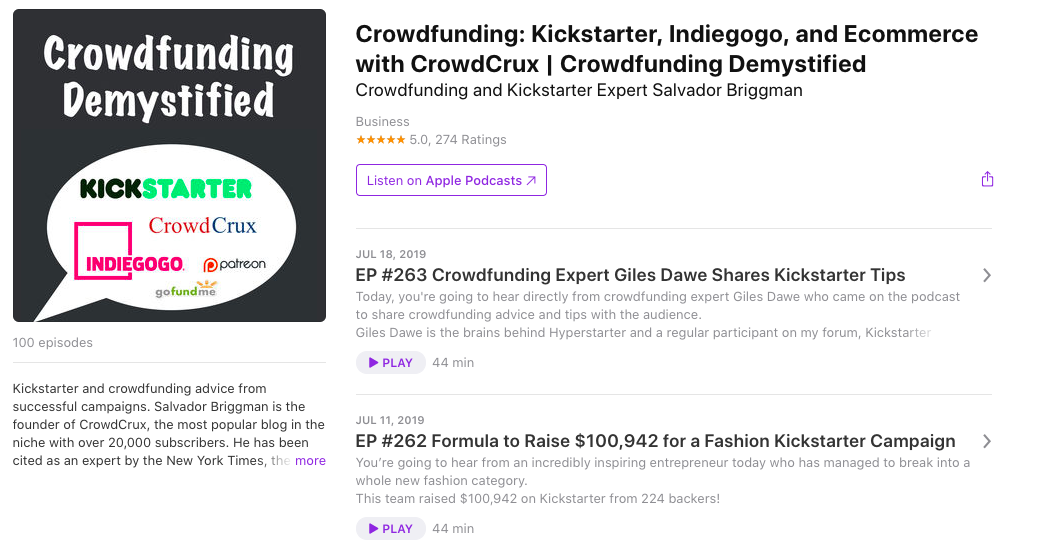
My show on iTunes is an example of an educational show. I am teaching people how to raise money with a crowdfunding campaign. I’ve been teaching students about this since 2012.

Putting out content over the years has allowed me to build up a following of loyal listeners who regularly tune in to my episodes. They also “binge listen” to my show.

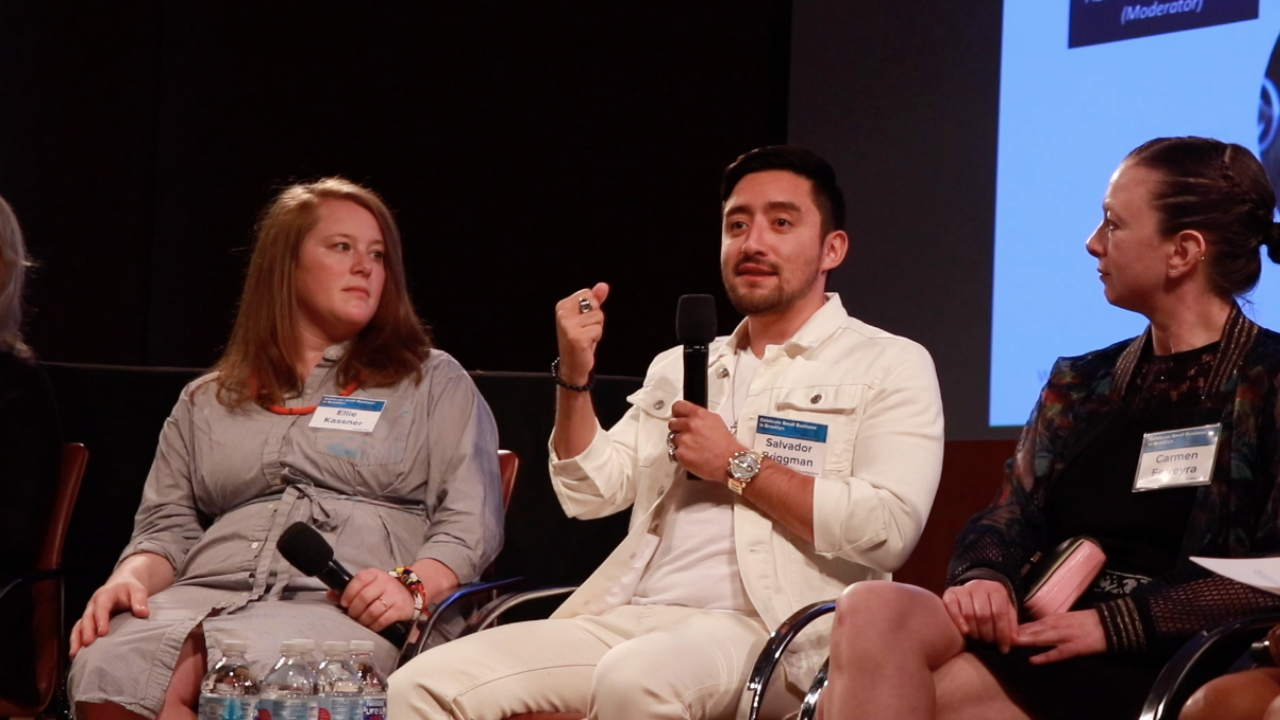
I have also leveraged my show into other areas, like speaking in public, giving workshops, and being a moderator at industry events.

Educational podcasts are a great way to become an authority in your industry. They can help you network with big-name influencers in your industry. They will also open up the doors to monetizing with digital courses, books, and other forms of teaching.

On the flip side, entertaining podcasts have a different aim, focus, and approach. An entertaining show like Serial, has the goal of producing an emotional reaction in the listeners and fans. Typically, this is done through storytelling, however it can also be as simple as back and forth banter.

Your success as a podcast host will depend on your ability to get your listeners to FEEL something after listening to your show, and thus, want to listen to more episodes.

Take a second to think about which box your show fits in. Maybe it even does a little bit of both, but typically, it will focus on one or the other.

2. Determine Show Logistics

Will you be interviewing guests in person or on Skype?

Will you build a studio or record episodes from your home?

Is there going to be a video component?

It’s important to take some time to think about the logistics for your show, because that will determine your equipment needs.

For example, if you want to record a podcast in person at an office and also produce a video recording of you talking with your guest, then you’ll need a completely different setup than someone who’s just doing online interviews on Skype or Zencastr.

Often times, recording with Skype is an easy way to get started with video. You don’t even need a fancy microphone. However, as you progress, you’ll have to start learning a bit more about microphones and gear.

Eventually, if you want to capture quality video, you’ll also need to learn a bit about video production. As you can see, the logistics of your show will dictate the equipment that you need to start the podcast.

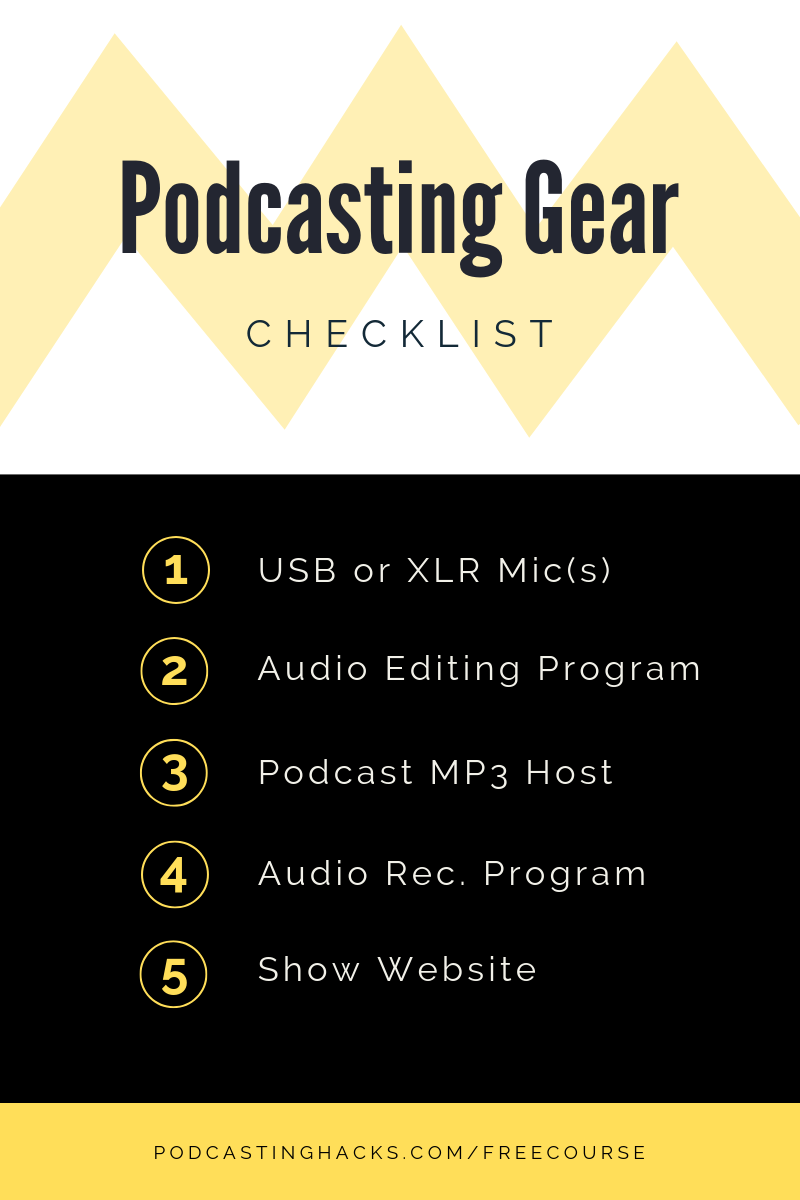
To make this easier, I put together a simple podcasting setup that you can access here.

But, if you don’t want to check out those resources quite yet, I’ll cover some of the tools, equipment, and resources that you’re going to need down below.

Almost every podcast has this gear in common, no matter what the show is about.

3. Podcasting Gear and Equipment

This is probably the first thing on everyone’s mind. To share your voice with the world, you need the right equipment.

Only, gear can be expensive. Great microphones can cost hundreds and hundreds of dollars. If you’re doing a video podcast, that number can get into the thousands.

So… what is the best possible equipment and gear for your show? Also, what are some quality low-budget options?

I shared exactly what I recommend for beginning podcasters in this comprehensive podcasting tutorial.

However, I also have some general equipment advice in the video that I’ll link you to down below.

In the video above, I share some advice on the topic of microphones, audio editing, online file hosting, and more. I think you’ll like the video a lot.

When it comes to this gear, I have a few decision points that I want to walk you through below.

Again, the amount of gear that you need depends on your show logistics and style. Also, just because you have all of the perfect equipment doesn’t guarantee that your podcast will be successful.

Ultimately, it’s the launch and marketing strategy behind your podcast that will determine its success. This is what I focus on in my free course and one of the reasons behind the success of my own show.

Let’s talk a bit about what you gotta do to get the word out, attract listeners, and build a loyal following of fans.

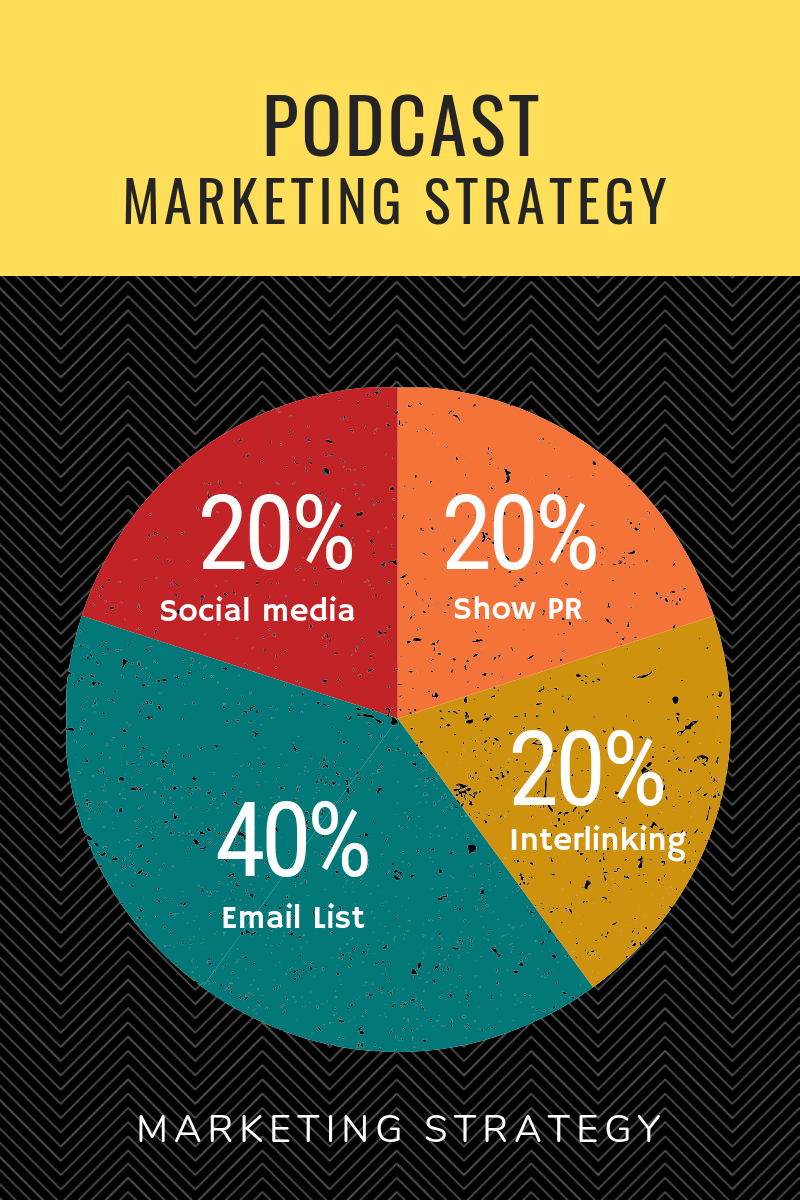
4. Launch and Market

Make no mistake, the marketing strategy will literally determine the success of your show. If you do it right, you can make a splash onto the scene and start building momentum.

Personally, I’ve documented how I’ve gotten to key milestones with my own show, like my first 1,000 downloads, my first 7,500 downloads, and also what I learned after my first 20 shows.

One of my biggest lessons learned is that there is a huge difference between creating a great-sounding show and getting the word out about it. You can have a fancy microphone, killer podcasting studio, and even a great quality voice, but if you can’t market the show, no one’s gonna listen.

A powerful podcast launch goes beyond just simply ranking in the iTunes New and Noteworthy section. If this was all you had to do, then a bunch of shows would go on to be hits.

While ranking well in the beginning can help to gather a small listener base and build up a bit of momentum, it’s not a sustainable way to grow a show over time. To do that, you have to begin to build out your distribution channels.

Of course, every great marketing strategy is going to contain social media outreach. I’m talking about building up a Facebook page, Twitter, Instagram, and even YouTube channel to share your podcast episodes with interested fans.

These social media channels are your core distribution mechanisms. I re-purpose my content for each of them and also share my episodes on YouTube to broaden my fan base.

Social media promotion will comprise a percentage of your downloads, but it won’t be a silver bullet. You also have to get out there and toot your own horn. I’m talking about PR and being a guest on other shows.

Public relations outreach is a killer way to get on other podcasts that might have a similar listenership to yours. You can gain access to new audiences, and also associate your podcast in iTunes with those shows. You’ll rank for more keywords in the marketplace.

By doing influencer outreach, you can also get great guests to come onto your show, which improves the quality of your podcast episodes and widens your audience.

Along with doing social media and PR outreach, I also believe that “interlinking your episodes” is a killer way to grow downloads and effectively promote your show. By this, I mean referencing podcasts that are in your archives and sending new listeners there.

You want your listeners to “binge listen” to your podcast, meaning that they go into your archive and start listening to all the podcast episodes you’ve put out thus far. By creating a mini series or simply referencing old shows, you can promote your podcast effectively.

Lastly, the big mega-return that you’ll get for all of your promotional efforts will be your email list. This is what contributes to a spike in downloads for my individual episodes. It’s a powerful way to get the word out all at once to your tribe.

If you don’t know how to build an email list, I would definitely hop onto my free podcasting course and learn a bit about how this whole promotion thing works.

5. Monetize

A solid business strategy is at the heart of every show. Why?

Because without money coming in the door, you won’t have the resources to grow, expand, and improve your work.

Money is the lifeblood of every business and it will ultimately determine how many people that you can reach around the world.

Personally, I’ve found monetization to be a bit of a sticky subject. Lots of beginning podcasters don’t believe that they can actually earn money from their show.

Also – many podcasters think that if they just focus on making good episodes, the money will eventually follow. WRONG!

I’ve found that the key lies in identifying the right monetization strategy for your particular niche. Every industry, category, and niche is different. Some shows monetize well with sponsorships. Others are better monetized with merchandise, and some with books and online courses.

Right off the bat, there a few ways you can make money from your podcast:

  • Crowdfunding (think Patreon)
  • Merchandise
  • Sponsorships and advertisements
  • Digital products, like courses
  • Books
  • Speaking gigs
  • In-person events
  • Livestreams
  • Physical products, and more.

While you can do each of these, the real question is thinking about what your audience wants.

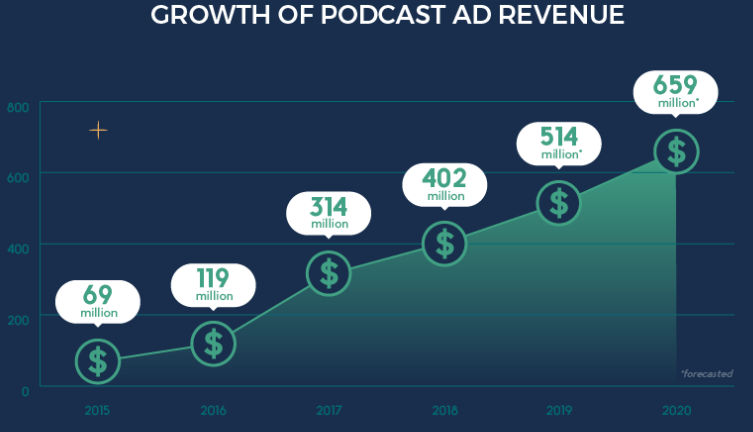
Maybe you don’t have the resources to create a physical product, but people who have physical products are desperately wanting access to your audience. In that case, sponsorships would be a great fit. Take a look below at some of the recent podcasting statistics.

Infographic by: MusicOomph.com

When brainstorm monetization strategies, I first like to think about the value I’m already providing with my show. Am I teaching something? Am I making people laugh? Am I making them feel like part of a community?

I then take that experience and brainstorm ways I can extend it. In the case of my show, I sought to give further in-depth educational information in the form of books and courses. I also connect people with resources through the sponsors.

All monetization works off the basic value that you’ve already created with your show. You’re just simply asking yourself how you can create another layer or rung in the ladder of value that you’re providing.

How can you give your core fans an even more extensive experience?

Read More
tips

How to Start a Podcast on iTunes

Do you want to start a podcast?

Wondering how to get it to show up for FREE on iTunes?

Look no further, because in this comprehensive article, I’m going to share with you exactly how to do that in a few simple steps.

If you follow these steps, you’ll be able to get your show listed in the iTunes marketplace easily and without any headaches.

I’ll also give you a glimpse of how podcasting can open up a world of possibilities. You can go from being a nobody to having fans around the world, a growing source of passive income, and even secure lucrative speaking gigs!

The video above walks you through each of these steps. You can easily follow along (and leave comments if you have any questions).

For a more comprehensive tutorial, I recommend joining my FREE podcasting course which shows you how to start, grow, and monetize a show.

I’m going to go through each of these steps in this article as to how to set up a show, submit your podcast to iTunes, and start sharing your voice with the world.

Step 1: Get Podcast Hosting

You need a 3rd party website or “host” to house all of the mp3 files that will make up your show. These are the literal individual shows that listeners will tune into.

In my other article, I covered some of the website hosts that are out there in the podcasting industry. Some of these are better than others for beginners.

If you don’t have a podcast hosting provider, then you’d need to house all of the individual mp3 files on your OWN website and also create an RSS feed for the show that iTunes can access.

Simply put, you need a podcast host because:

The podcast host will generate an RSS feed that iTunes needs to publish your show

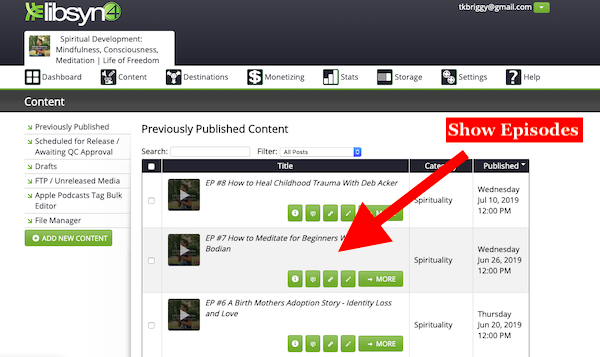
Personally, I use Libsyn to host my podcast, and I also used it to start a new show. I’ve found Lisbyn to be reliable and easy to use.

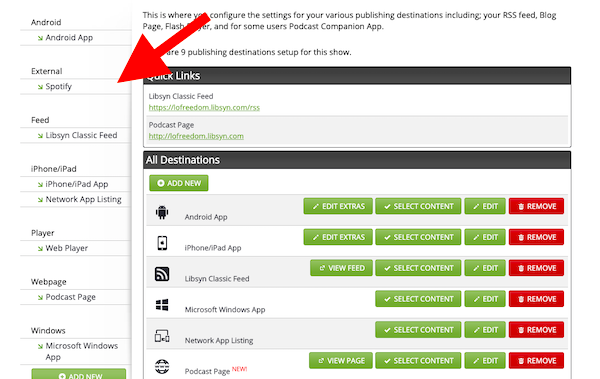
The great thing about Libsyn and other podcast hosts is that they will automatically generate an RSS feed for your show that you’ll need to submit the podcast to iTunes.

You can also syndicate your show to many other locations like Spotify, Stitcher, and other podcast-listening apps out there.

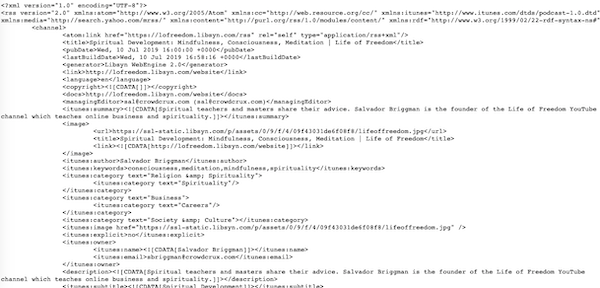
You’ll be using this RSS feed link in the next step when you want to put the show on iTunes. I should also explain that the RSS feed is simply a bunch of code that a marketplace like iTunes can use to access your show.

It’s a bunch of gobbledygook that only computers will understand.

Basically, iTunes doesn’t want to host the podcast itself. They aren’t in the business of podcast storage. They just want to provide shows to their listeners on the podcast app.

Now that you have signed up for podcast hosting, you’ll want to next submit the podcast to iTunes. I’ll cover this step below.

Step 2: Submit Podcast RSS to iTunes

Before you submit your podcast RSS to iTunes, you’re going to need a thumbnail (or artwork) that is 1600 x 1600 and stands out to your listeners.

I’d recommend putting in the keywords that you want to rank for in iTunes (or check out some similar shows) and get a feel for what their headline looks. Then, try to improve upon that design. Try to make yours stand out amid the competition.

I used Fiverr to get my latest show artwork made. It cost me $7 and came out great. This is very inexpensive solution for getting your artwork made.

You can also create artwork yourself using a tool like Canva or photoshop.

I had an idea in mind when I looked into Fiverr, so I knew what I wanted.

Fiverr is also a great source for getting other elements of your podcast, like your show intro, music, or other assets.

One of the cool things going on right now is that Fiverr will give you 20% off your first purchase.

I don’t know how long that new promotion will last, but it’s a killer bargain on an already affordable option.

As a reminder, you will have to add your artwork to your show in whatever podcast host you chose to go with. If you’re using Libsyn, you’d have to edit the podcast settings and add the show thumbnail.

Once you have the 1600 x 1600 artwork for your show, you can then add the podcast to iTunes!

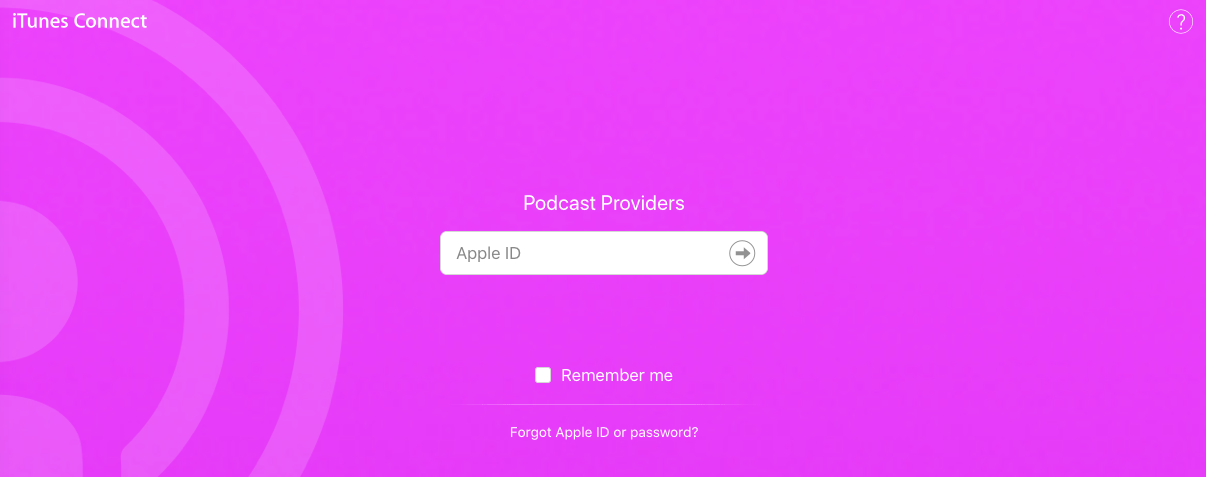
You have to start your show by going to Podcasts Connect.

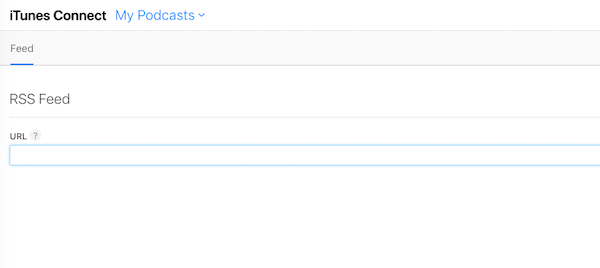
Once you’re there, you can then see your existing shows or add a new one. When you add a new one, the first thing that Podcasts Connect will ask you to do is to provide the RSS feed.

When you punch that in, you’ll then be able to enter all of the relevant information for that podcast, and submit it! It may take a few days for the team to verify it, but you’ll eventually get an email notification when it goes live.

After it goes live, you should see all of the information that you’ve specified with your podcast host show up on iTunes, including the show episodes, thumbnail, description, and title.

It’s really that easy!

So… what’s the hard part?

Haha… well… getting listeners, sounding good, and makin’ money from the show.

But, don’t worry. I’ll show ya how to do that in future content. Or, you can speed up the process by grabbing a copy of my book OR joining my free course on podcasting.

Step 3: Launch a Website for Your Show

It’s not enough that you only have a podcast host and a show that pops up in iTunes. You also need a website for the show.

Simply put… if you wanna make money, you are gonna need a website for the show.

Thankfully, your podcast host makes it pretty easy to embed episodes on your website. They will likely give you a simple embed code that you can use to embed an episode on a blog post.

I think that your best bet is to start a blog that goes hand-in-hand with your podcast. I know that might seem like a lot, but you can just use this blog to share episodes. It will serve as a home base for you content.

I have a great step-by-step guide showing you how to start a blog/website here. You can get it up and running in a few simple steps.

If you don’t want to follow that guide, then basically, you’re going to need a hosting provider that will allow you to host a WordPress website.

The best website hosting provider that I know out there is Bluehost due to its affordable options.

When you got the hosting, the artwork, and the website, your show should be up and running!

The next step is to promote it, monetize it, and start to build a following.

There are incredibly effective ways to improve your voice, sound more confident, and come off as a real podcast host.

I put together a free course that goes through all of this (and much more).

I hope you enjoyed this article!

Read More
tips

Best Podcasting Equipment for Beginners in 2020

Looking for the right podcasting equipment that doesn’t break the bank?

I’ll share with you a super easy set up for beginners that are on a budget.

Your podcasting equipment can make or break your show. No one wants to listen to bad quality audio. No one will take you seriously if your mic sounds tinny.
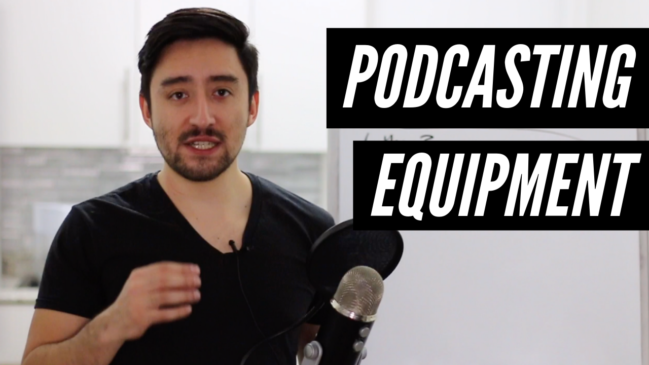
Investing in the right equipment will not only bring you more listeners, but it will also take sponsors take you more seriously.

You want quality equipment, but you also don’t have a huge budget, right? I’mma help you out with this video…

What did you think?

By the way, there are tons of ways to record audio, particularly if your guests are remote.

This just a simple and affordable quality equipment package that I put together for you.

Now that you know, go out there and take action!

You have no excuse to not launch your podcast.

If you’re still feeling a bit hesitant, never fret. I have a great free course which walks you through how to set up a show, sound good, and some marketing tricks I’ve learned along the way.

All you gotta do is join it down below, and I’ll get you up to speed ASAP.

Read More
podcasting industry

The World Of Payments – PayPod Podcast – Student Testimonial

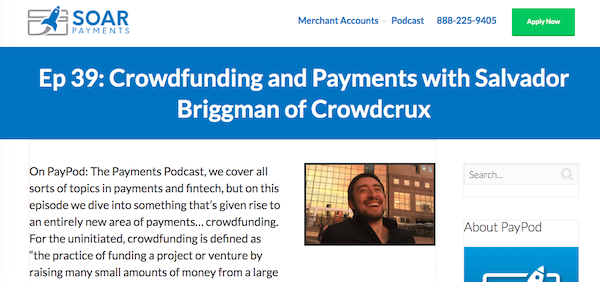
I had the distinct privilege of appearing on the PayPod podcast, which is produced by SolarPay.

This podcast explores the ever-changing world of online payments and current trends that you NEED to adopt into your business.

If you do any kind of sales or online transactions, this podcast is an easy way to stay up to date on the latest developments that can help you earn more and save you money.

On my episode, I shared EVERYTHING when it comes to how to successfully launch, run, and grow a crowdfunding campaign. You can use crowdfunding to get funding for your business and launch your dream idea.

You’ll discover on the episode how online payments are incorporated into crowdfunding, as well as some tips and advice for running your own project on Kickstarter or Indiegogo.

Want to start your own podcast?

Scott Hawksworth is the sales and marketing director at PayPod. He’s also one of the students who recently went through my course, Podcasting for Beginners. 

Scott is an experienced marketer who’s familiar with SEO, email marketing, social media, and even paid marketing. He has a strong handle on how to get customers to take action, and now he’s turned his eye to podcasting.

Podcasting is the newest medium that’s specifically designed to educate and inform potential customers so that they take action and buy your products and services.

With over 45 episodes and high profile guests, PayPod is a great introduction to the greater services that SoarPay offers.

When I asked him what he thought of my course, he had this to say:

“When it comes to podcasting strategy and execution, you’d be hard pressed to find someone who knows more about it than Sal!

From start to finish this course teaches you exactly what you need to get a podcast up and running even if you know nothing about audio.
The look “under the hood” at Sal’s podcasting setup and equipment recommendations was really helpful because in spite of what anyone tells you, having quality sound is important.

I’d highly recommend this course for anyone who wants to get into the world of podcasting.”

I was so appreciative of this positive feedback on the course and I absolutely had to share it with you.

Step-by-Step Mentorship and Training

With my course, Podcasting for Beginners, I walk you through every step of starting a podcast from the equipment to the vocal exercises. I show you how to promote it get downloads, and develop a base of raving fans around your work.

You’ll see how to:

  • Set up the “hosting” and “RSS feed” to get on iTunes/Spotify/Stitcher
  • Pick the right microphone for your show
  • Get downloads with an explosive launch
  • Earn passive income and go full-time

I know – these are a lot of big promises.

That’s why I’ll link you up with a FREE introductory course below so you can sample some of my lessons.

It will give you a feel for my teaching style, content, and lessons that I want to share with you. There is absolutely no obligation. Just enter your name and email below.

FREE Podcasting Course

I’ll start sending you emails getting you up to speed. No spam. Ever.

Don’t wait!

This is a window of opportunity. We’re in the middle of an audio gold rush.

CPMs (sponsor revenue) are higher than ever before. Others are launching podcasts left and right.

Take advantage of this so that you can share your voice with the world, build an audience, and earn an income from home (doing what you love).

Read More
tips

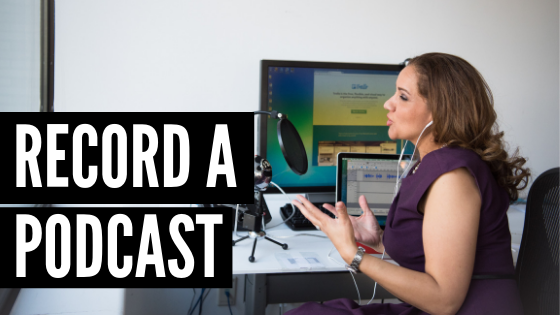
4 Easy Ways to Record a Podcast Remotely

Do you want to record a podcast?

Whether it’s on your Mac, Skype, or simply remotely, I’m going to share a few easy ways to record a podcast.

These software tools will help to record podcast guests without any hassles. Most of them are free or very low cost.

I also wrestled with this problem when I was starting MY podcast. I had this problem back in 2015. I record guests remotely for my show.

With this article, I want to share some of the tools that I’ve discovered.

Also, I have a great free podcasting course that walks you through how to start, grow, and monetize a podcast for beginners.

Let’s get right into it!

1. Skype and Ecamm Call Recorder

If you’re planning on interviewing guests through Skype, then Ecamm Call Recorder is the best application that you can use to record audio or video.

The software will also split the audio tracks, so that you can do editing on each individually (if you’d like). You can export the audio as almost any major file.
I like this application because of it’s reliability and ease of use. On the down side, Skype doesn’t always work so well. Sometimes there are connectivity issues.

Pricing: $39.95

2. Zencastr

Zencastr is the second most popular way that I’ve seen to record guest remotely for a podcast. It’s very easy to get started and you don’t need to install anything.

Instead, Zencastr will use your browser storage and online functionality to synch up your audio with a guest. After the interview, your guest will need to keep their browser window open while their audio is uploaded.

Zencastr has higher quality audio than Skype. I tried it out and reviewed it here. Personally, I didn’t like the lag time that I experienced between myself and the guest. It threw off the rapport with the guest. I’d try it out though, as software constantly changes.

Pricing: Free – $250/month

3. Zoom.us

Zoom.us is another tool that you can use to record your podcast with guests from around the world.

The software has built in recording and can split the audio and video from the file that’s created. It makes for easy editing.

You can learn a bit about how some podcasters use Zoom here. The only downside I see is that at the time of writing, you can only record in MP4 or M4A, so you’ll have to convert that to MP3.

Pricing: Free – $20/month

4. Cast

Cast is another option that you can use to record a podcast remotely. It’s a good alternative to Zencastr if you’d like to try something different.

You can use this software to not only record a show with a guest, but to also edit and publish that show. This is great functionality if you don’t want to find different software to do these other components.

This means that you don’t have to get a host and don’t have to figure out RSS syndication. The tool will do it for you.

Pricing: Free – $30/month

Which is Best?

It comes down to your needs, what you’re looking for and what you’re comfortable with.

They are all pretty good software tools to accomplish the job in different ways.

After trying out a few ways, I settled on Skype because of it’s familiarity with guests and I liked the connection more. In the future, I might look into other options, but for now I’m happy.

I have guests that are also very busy and it’s easier that sometimes they can just call in from their phone using the Skype app.

If you’d like to gain access to some of my best tips on podcasting, make sure to join my free course that shows you how to launch, grow, and monetize your podcast.

Read More
1 2 3 6